219 words
1 min read

Install Terraform on macOS

By · Docker Captain · CNCF Ambassador · IBM Champion
Cover image for the post 'Install Terraform on macOS'

This article is for those looking for a detailed and straightforward guide on installing Terraform on macOS.

Terraform is HashiCorp’s infrastructure as a code tool. It lets you define resources and infrastructure in human-readable, declarative configuration files, and manages your infrastructure’s lifecycle. Using Terraform has several advantages over manually managing your infrastructure.

TIP

Architecture Context

Local Terraform CLI is the standard for infrastructure-as-code development and testing. Terraform Cloud or Spacelift provide managed alternatives with remote state, policy enforcement, and team collaboration built in. Local CLI is sufficient for individual workflows, but teams should evaluate remote backends early to avoid state management complexity as infrastructure grows.

IMPORTANT

In this guide, we will consider the case when you already have the Homebrew package manager installed.

To install Homebrew, you can use the command:

Terminal window
/bin/bash -c "$(curl -fsSL https://raw.githubusercontent.com/Homebrew/install/HEAD/install.sh)"
NOTE

This guide walks you through connecting to a server with the iTerm2 terminal emulator on macOS.

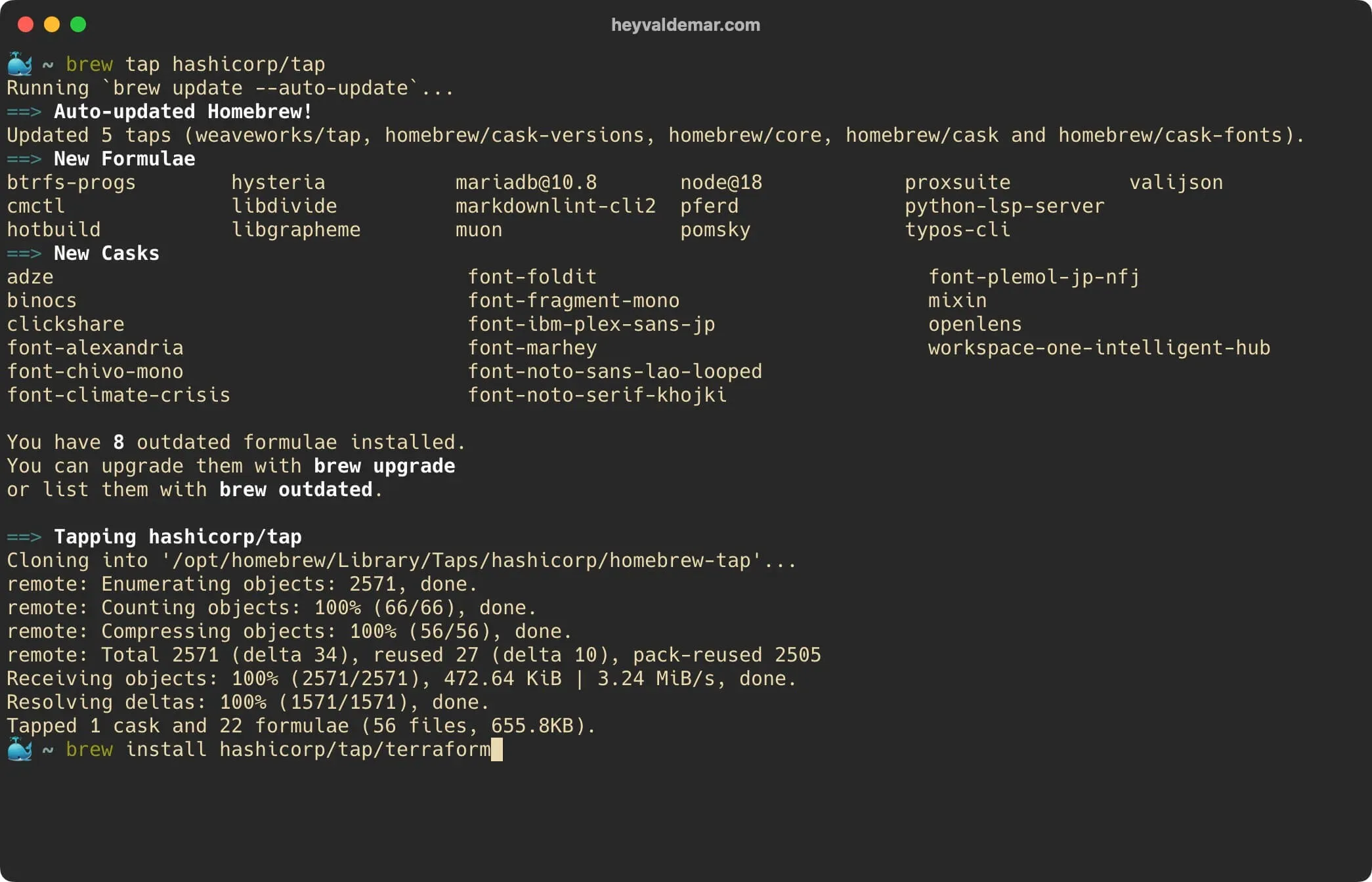
We connect the repository with formulas for Homebrew using the command:

Terminal window
brew tap hashicorp/tap

Install Terraform on macOS - Step 1

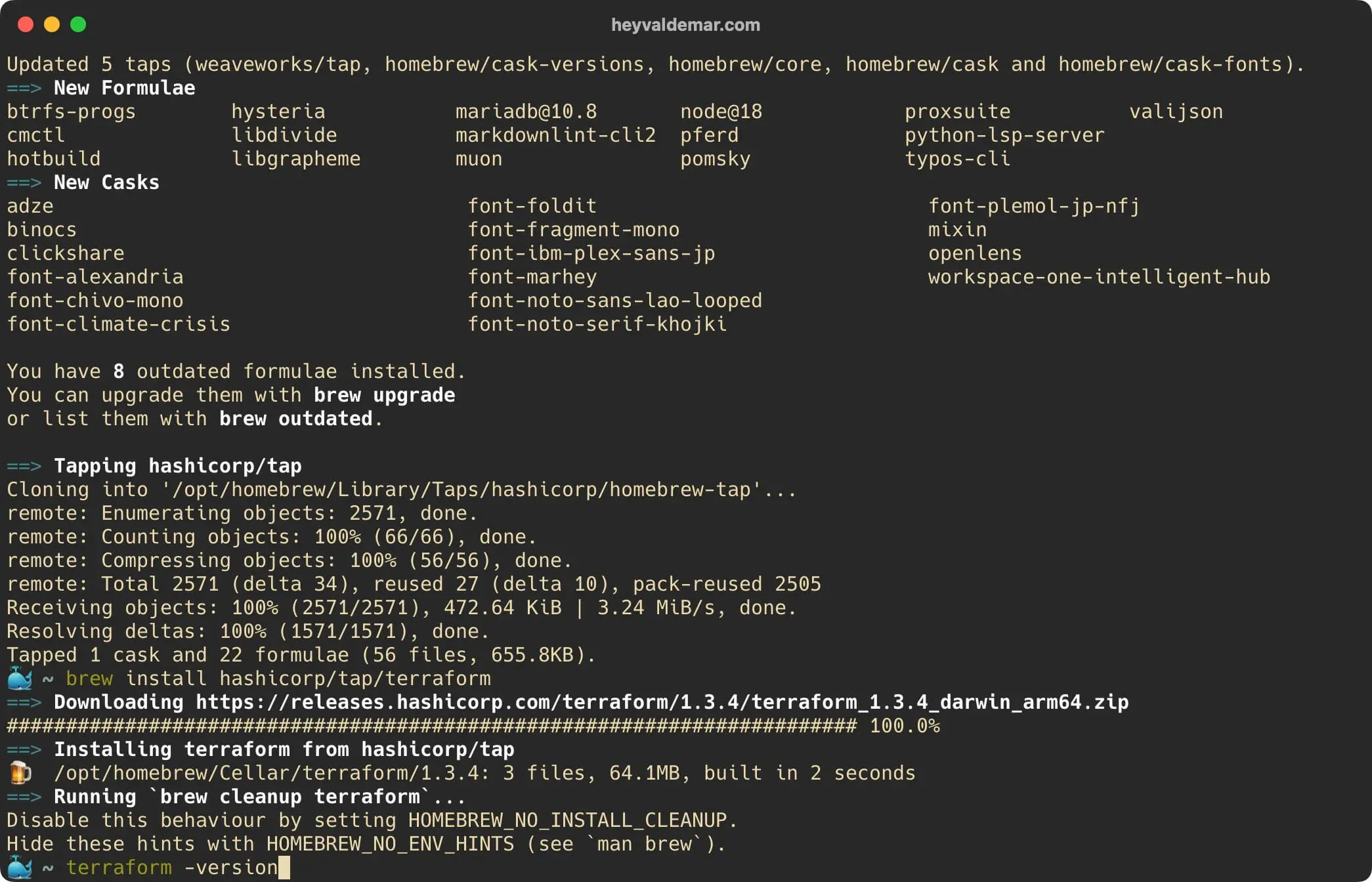
Run the Terraform installation with the command:

Terminal window
brew install hashicorp/tap/terraform

Install Terraform on macOS - Step 2

Next, you can see the installed version of Terraform using the command:

Terminal window
terraform -version

Install Terraform on macOS - Step 3

Everything is ready to use Terraform.
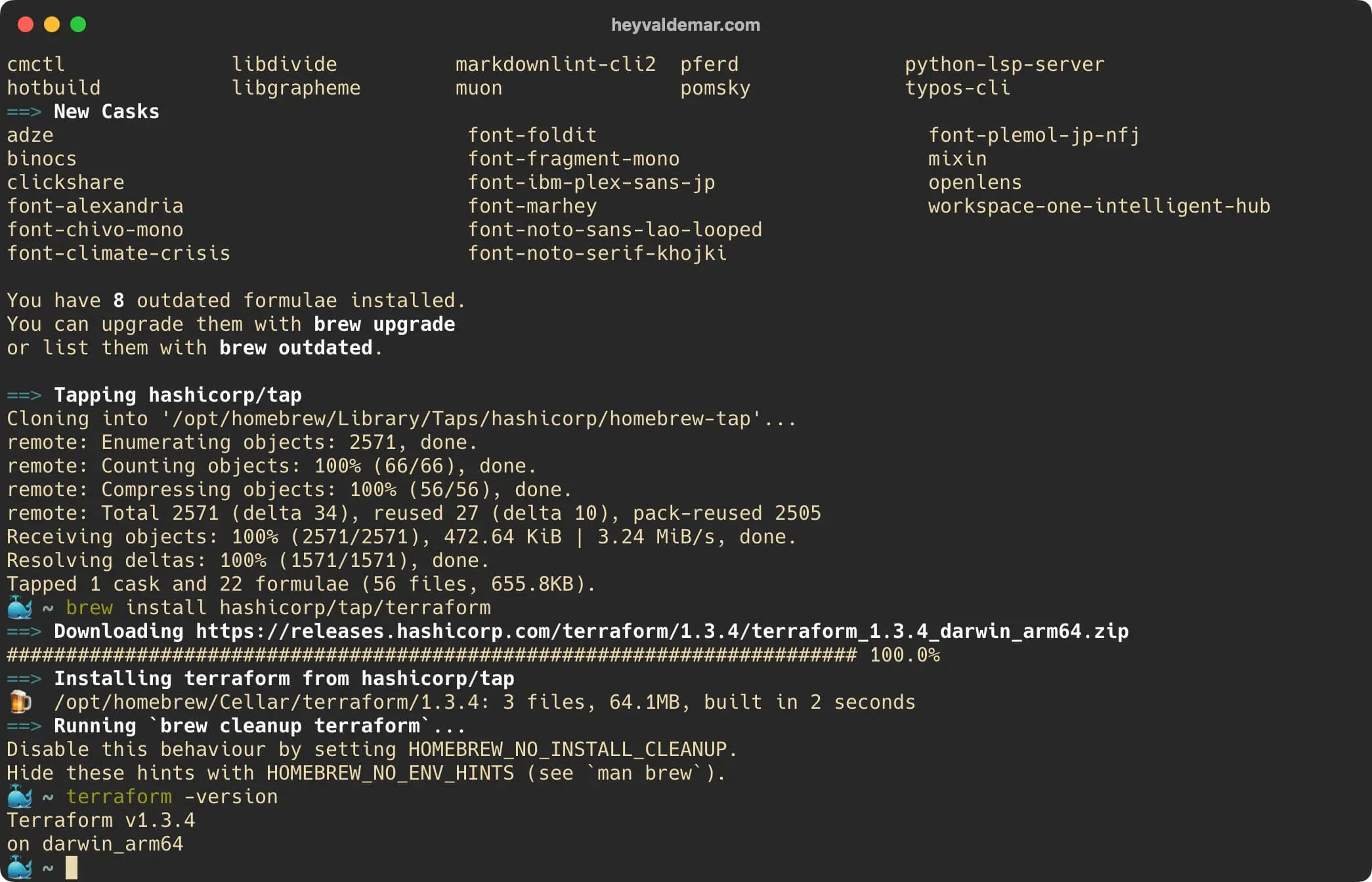
Install Terraform on macOS - Step 4

You can read more about how to configure AWS CLI in my guide Configure AWS CLI.


Vladimir Mikhalev

Docker Captain  ·  CNCF Ambassador  ·  IBM Champion

The Verdict — production-tested analysis on YouTube.

The Verdict

Inconvenient truths about shipping in the AI era

Container security, platform engineering, and the agentic shift — tested in production, argued without the hype. The verdict reaches your inbox the moment there's one worth sending.

Related Posts

Same category
  1. 1
    A Partial Read Is Not a Smaller Fleet: A GitHub API Rate Limit and the Numbers That Lied for an Hour
    DevOps & Cloud · A partial read published as the whole. For an hour the profile said 24 restore scripts across 15 repositories, and the fleet had 73 across 48. Three guards now.
  2. 2
    Restore Drills on a Clean Machine — Measured RTO for 47 Stacks, 19 Seconds to 7 Minutes
    DevOps & Cloud · Restore drills that measure RTO on a machine that never ran the stack, 47 templates weekly. Every same-host restore passed. The first clean one answered 500.
  3. 3
    Mutation Testing for Infrastructure Code — 153 Planted Bugs, Four Tests That Could Not Fail
    DevOps & Cloud · Mutation testing for infrastructure code, done by hand across fifteen repositories. 153 planted bugs, and four green tests that could never have failed.
  4. 4
    Docker Health Checks That Cannot Fail — Seventeen Hours Green
    DevOps & Cloud · A Docker health check whose pattern matches the shell running it can never go red. How to find the checks in your fleet that never failed, and prove each one.

Random Posts

Random
  1. 1
    Install Ollama Using Docker Compose
    AI & MLOps · Deploy Ollama locally with Docker Compose and Traefik. Step-by-step guide for setting up LLMs with HTTPS, domain routing, and secure container orchestration.
  2. 2
    The Senior Engineer Signal: The 2026 Risk Your Velocity Metrics Hide
    Opinion & Culture · Juniors get the biggest boost from AI; seniors trust it least. That split is your earliest read on engineering risk, and on the talent you're about to lose.
  3. 3
    Install Windows Server 2016
    SysAdmin & IT Pro · Learn how to install Windows Server 2016 step by step using official media. Get a stable, secure setup with the Desktop Experience.
  4. 4
    Install and Configure Windows Server Update Services on Windows Server 2012 R2
    SysAdmin & IT Pro · Learn how to install and configure WSUS on Windows Server 2012 R2 for centralized patch management. Step-by-step guide with screenshots and best practices.
Install Terraform on macOS
https://heyvaldemar.com/install-terraform-on-macos/
Author
Vladimir Mikhalev
Published
2022-11-08
Updated
2026-03-29
License
CC BY-NC-SA 4.0