
178 words
1 min read

Rocket.Chat in Slack Color

By · Docker Captain · CNCF Ambassador · IBM Champion
Cover image for the post 'Rocket.Chat in Slack Color'

This article is for those looking for a detailed and clear guide on how to make Rocket.Chat in Slack Color.
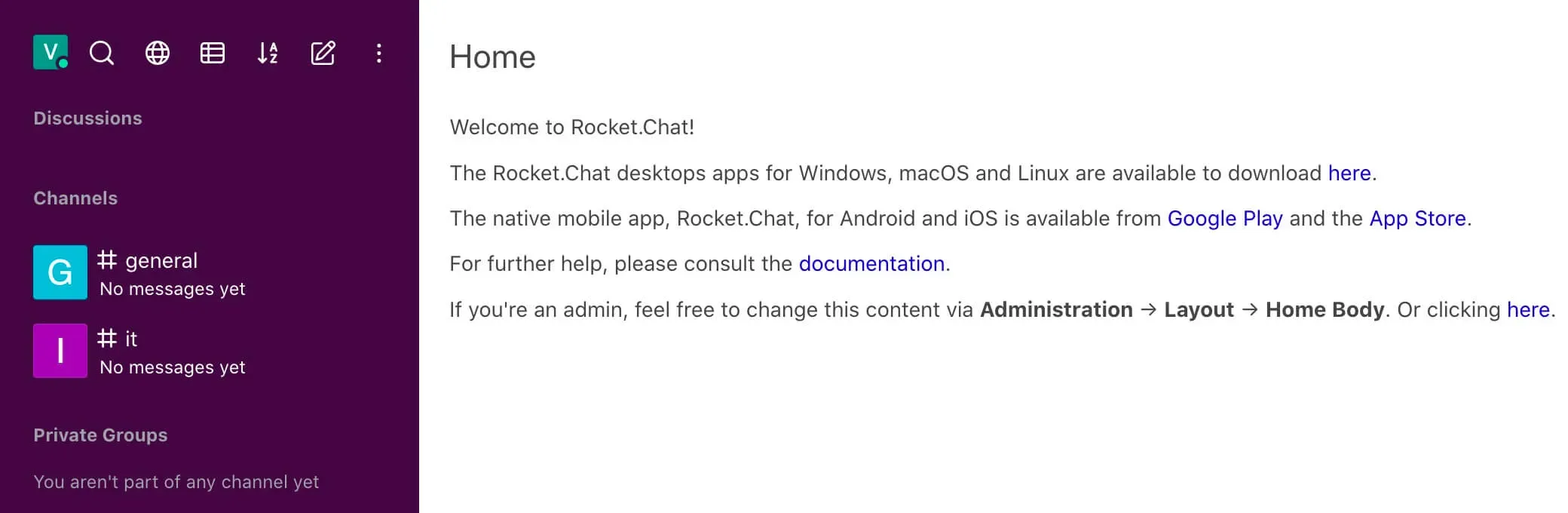
Rocket.Chat in Slack Color - Step 1

Rocket.Chat is an open-source fully customizable communications platform developed in JavaScript for organizations with high standards of data protection.

NOTE

For details on installing Rocket.Chat on Ubuntu Server, read my guide: Install Rocket.Chat on Ubuntu Server.

IMPORTANT

You need to have administrator rights in Rocket.Chat to change the color palette.

Click on the icon with three dots in the upper left corner of the screen and select “Administration”.
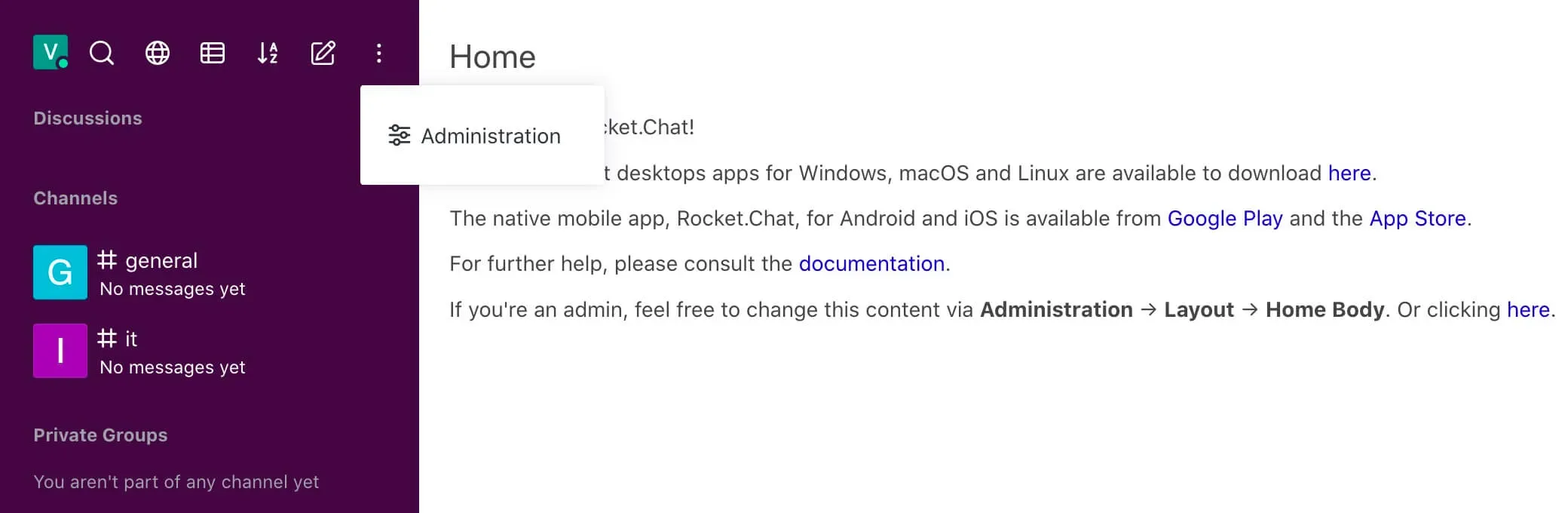
Rocket.Chat in Slack Color - Step 2

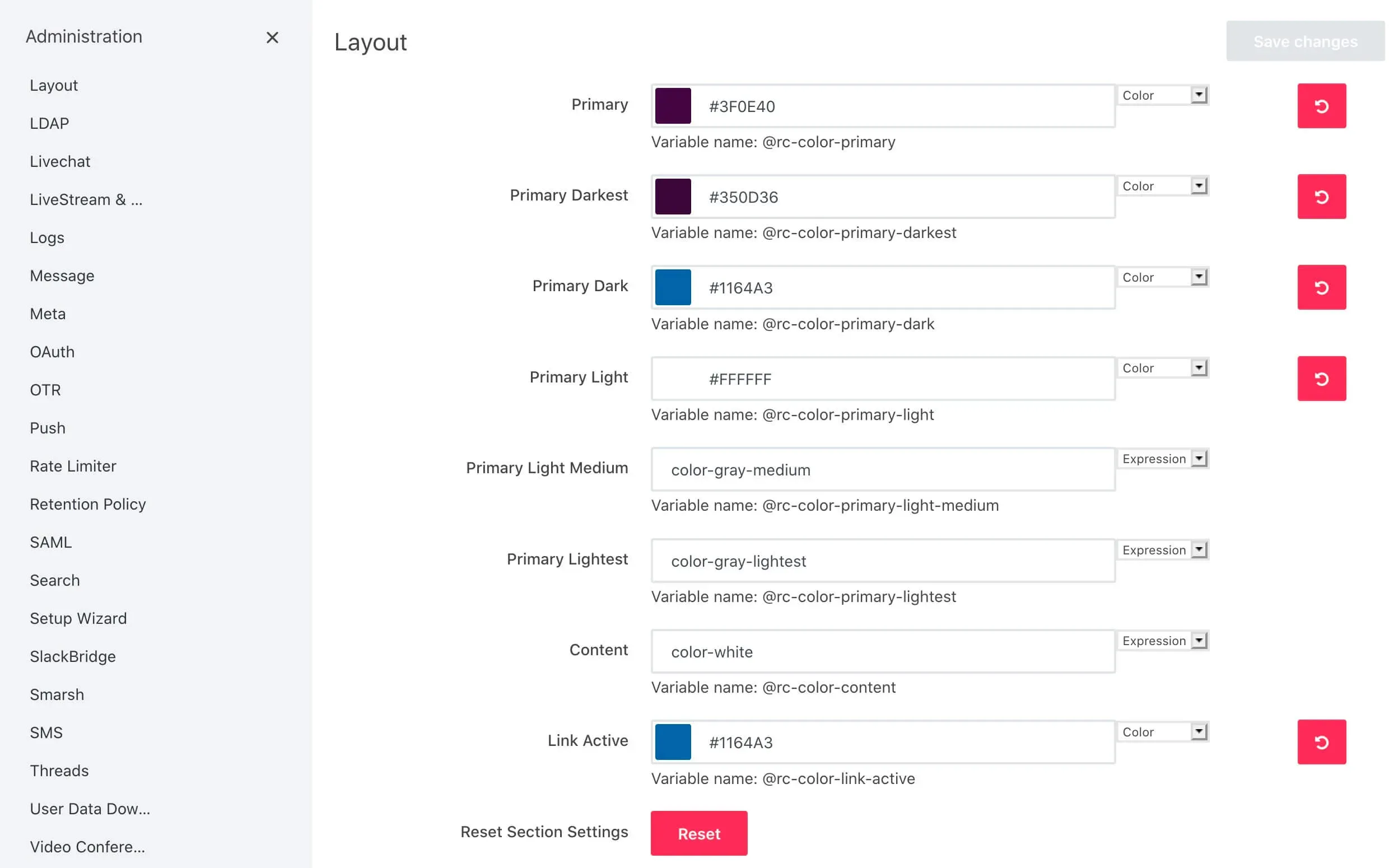
Next, find the “Layout” section and open the “Colors” subsection.

Change the colors to the ones below:

  • Primary: #3F0E40
  • Primary Darkest: #350D36
  • Primary Dark: #1164A3
  • Primary Light: #FFFFFF
  • Link Active: #1164A3

Click on the “Save Changes” button.
Rocket.Chat in Slack Color - Step 3

Rocket.Chat will now look more like Slack.

To update the color palette in the web interface and in the Rocket.Chat client for Windows and Linux, use the keyboard shortcut “Ctrl” and “R”.

To update the color palette in the Rocket.Chat client for macOS, you must use the keyboard shortcut “Command” and “R”.


Vladimir Mikhalev

Docker Captain  ·  CNCF Ambassador  ·  IBM Champion

The Verdict — production-tested analysis on YouTube.

The Verdict

Inconvenient truths about shipping in the AI era

Container security, platform engineering, and the agentic shift — tested in production, argued without the hype. The verdict reaches your inbox the moment there's one worth sending.

Related Posts

Same category
  1. 1
    Backups Verified by Restore — Twelve Days of OK Over an Empty Archive
    Self-Hosting · A backup verified by restore is the only kind that exists. Twelve days of OK over a volume nothing wrote to, and 47 templates' restore scripts CI never ran.
  2. 2
    Install ownCloud Using Docker Compose
    Self-Hosting · Learn how to install ownCloud with Docker Compose on Ubuntu using Traefik and Let's Encrypt. Secure, scalable file storage and sharing for your server.
  3. 3
    Install Docmost Using Docker Compose
    Self-Hosting · Learn how to install Docmost using Docker Compose with Traefik and Let's Encrypt. Step-by-step guide for self-hosting a modern documentation platform.
  4. 4
    Install AFFiNE with Docker Compose, Traefik and Let's Encrypt
    Self-Hosting · AFFiNE behind Traefik with automatic Let's Encrypt certificates: the Docker networks, the compose file from my repository, one command to start, first login.

Random Posts

Random
  1. 1
    The Fates of Famous Figures Under the Pressure of Power from the Russian Empire to Our Days
    Opinion & Culture · Explore the lives of famous figures persecuted by Russian regimes—from the Empire to today. Discover stories of censorship, exile, and resistance.
  2. 2
    Inside the Builders Era — How Developers Stay in Control of AI with GitKraken as the Core Tool
    Opinion & Culture · How developers stay in control of AI in the Builders Era — using expert supervision, clean Git workflows, and GitKraken to keep speed, quality, and reliability.
  3. 3
    Master Container Security in 2025 — Best Practices & Live Demo
    DevOps & Cloud · Master container security in 2025 with proven Docker & Kubernetes best practices. Learn how to automate scans using Docker Scout & Snyk with real demos.
  4. 4
    Disable Server Manager Autostart on Windows Server 2019: Four Ways
    SysAdmin & IT Pro · Server Manager opens at every logon because of a scheduled task. Turn it off in Task Scheduler, with one schtasks line, or with Disable-ScheduledTask in PowerShell.
Rocket.Chat in Slack Color
https://heyvaldemar.com/rocket-chat-in-slack-color/
Author
Vladimir Mikhalev
Published
2019-11-12
Updated
2026-03-23
License
CC BY-NC-SA 4.0