
325 words
2 min read

Install Ubuntu Server 22.04 LTS

By · Docker Captain · CNCF Ambassador · IBM Champion
Cover image for the post 'Install Ubuntu Server 22.04 LTS'

This article is for those looking for a detailed and straightforward guide on installing Ubuntu Server 22.04 LTS.

After booting from the Ubuntu Server 22.04 installation USB stick or DVD, begin by selecting the desired language for the welcome menu.

Select “English” and press “Enter”.
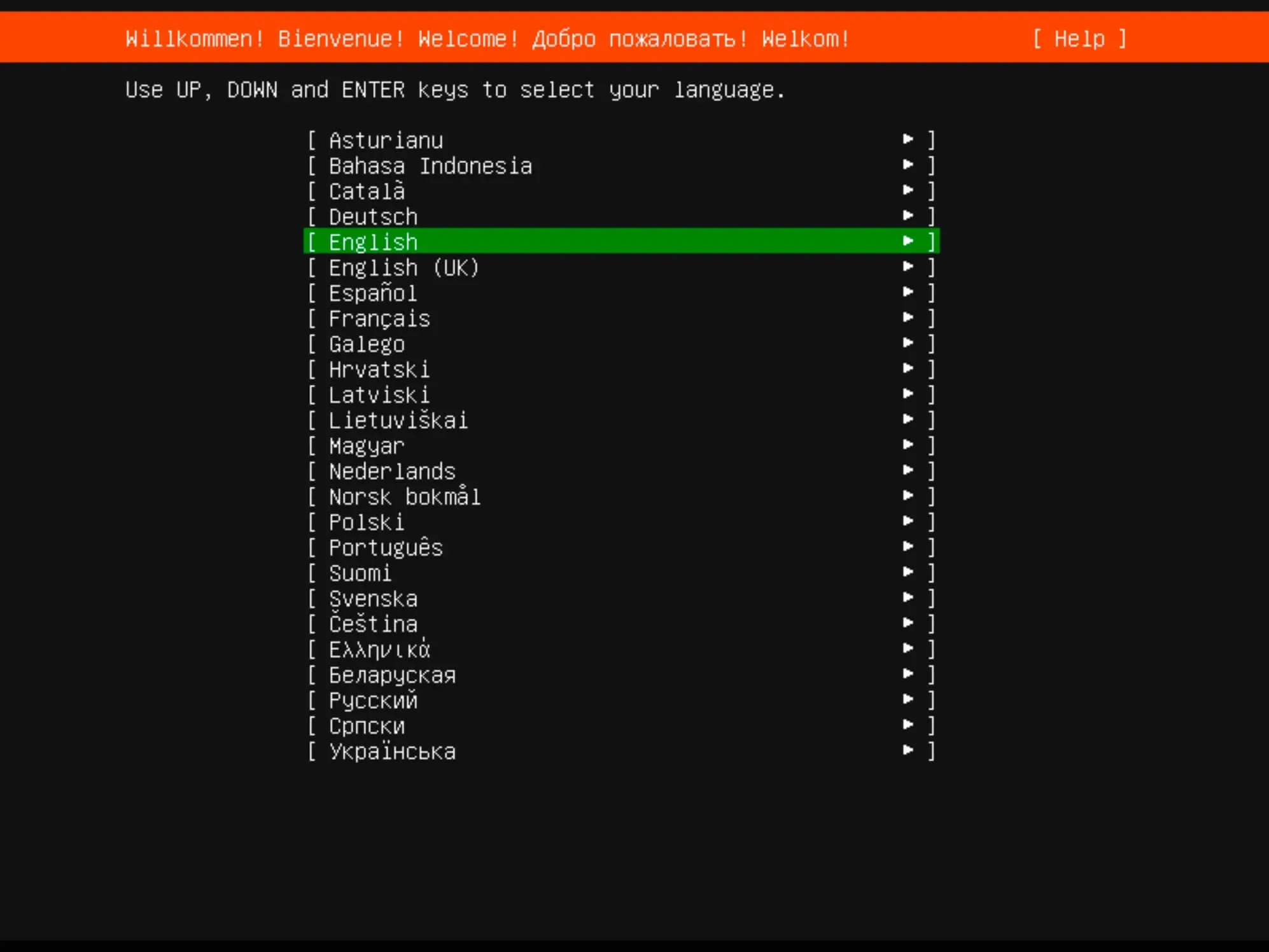
Install Ubuntu Server 22.04 LTS - Step 1

Next, you can choose a keyboard layout.

Select your desired keyboard layout and click “Done”.
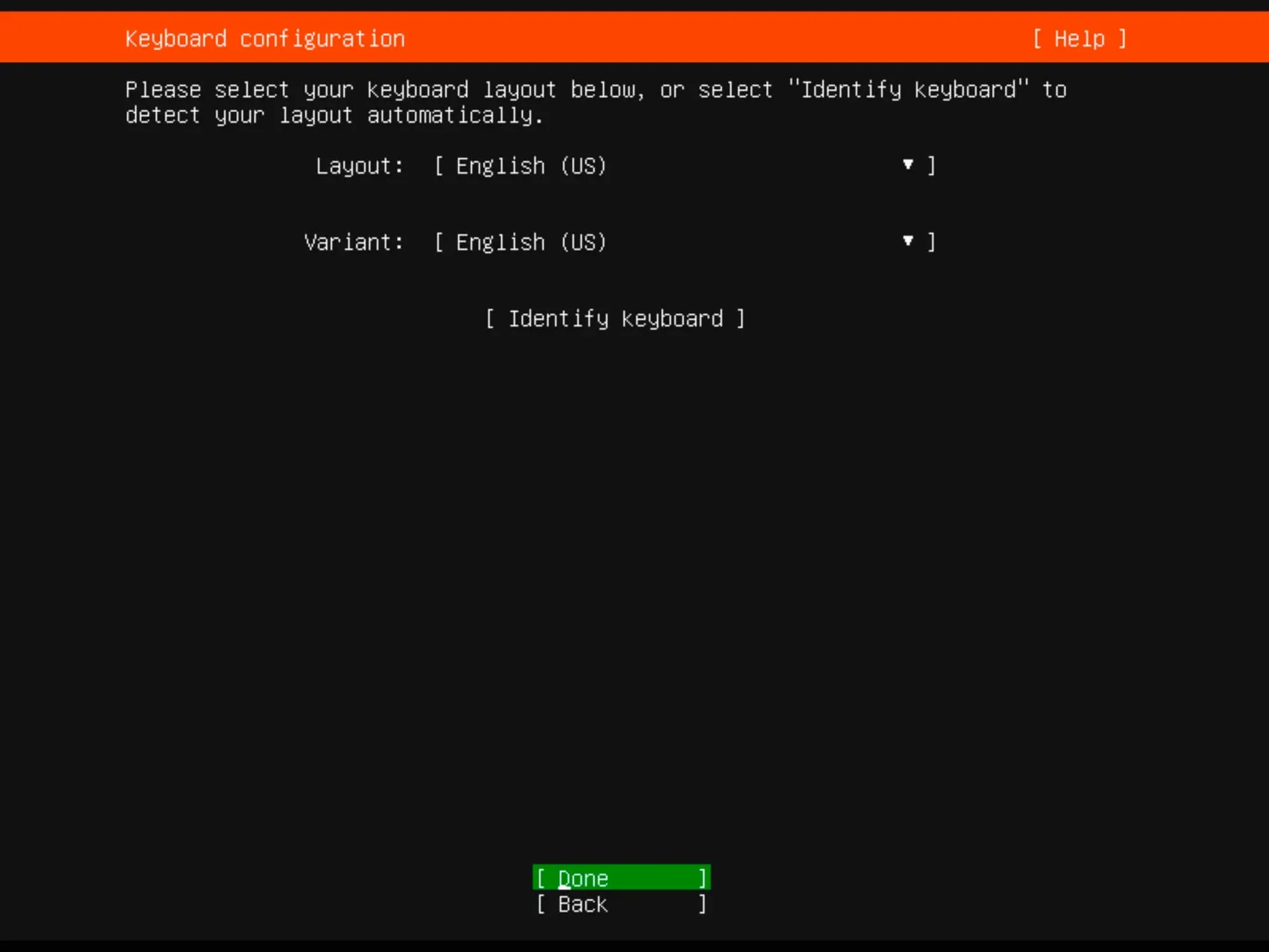
Install Ubuntu Server 22.04 LTS - Step 2

Now you need to specify the installation type.

Choose “Ubuntu Server” and click “Done”.
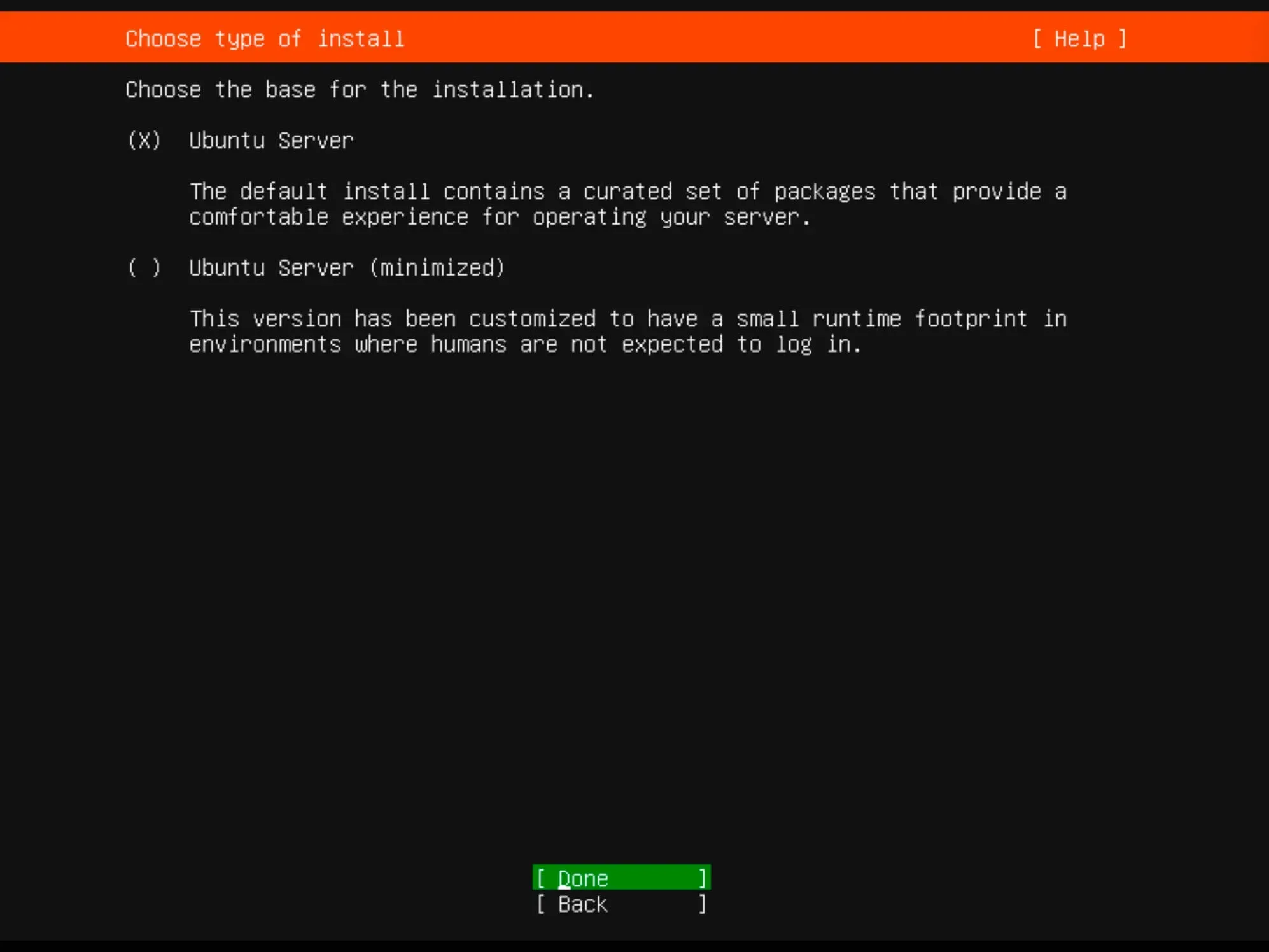
Install Ubuntu Server 22.04 LTS - Step 3

The installer will try to retrieve network settings using DHCP. You can adjust the IP address now or later.

Click “Done”.
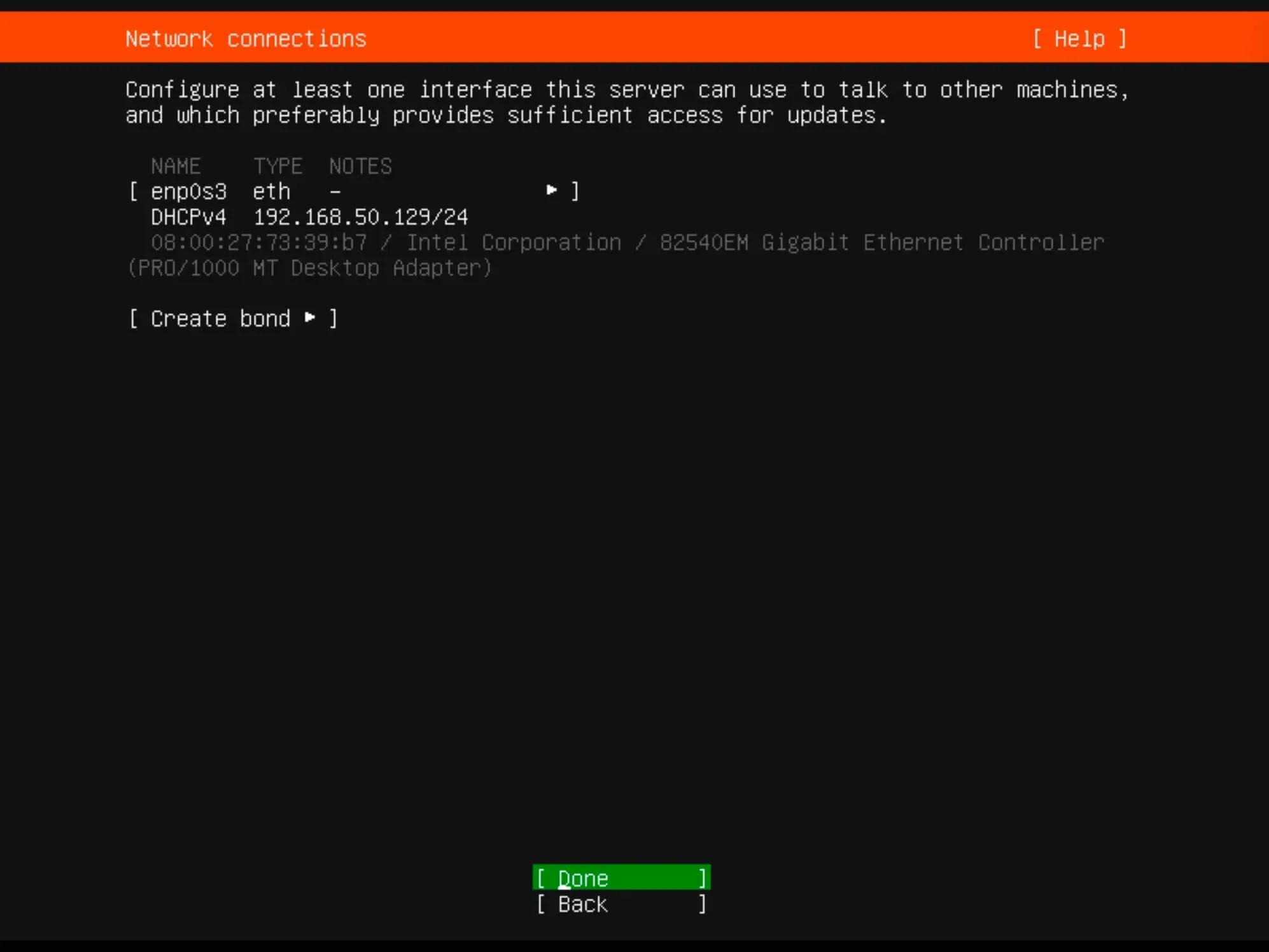
Install Ubuntu Server 22.04 LTS - Step 4

For proxy settings, we’ll skip this step in our guide.

Simply click “Done”.
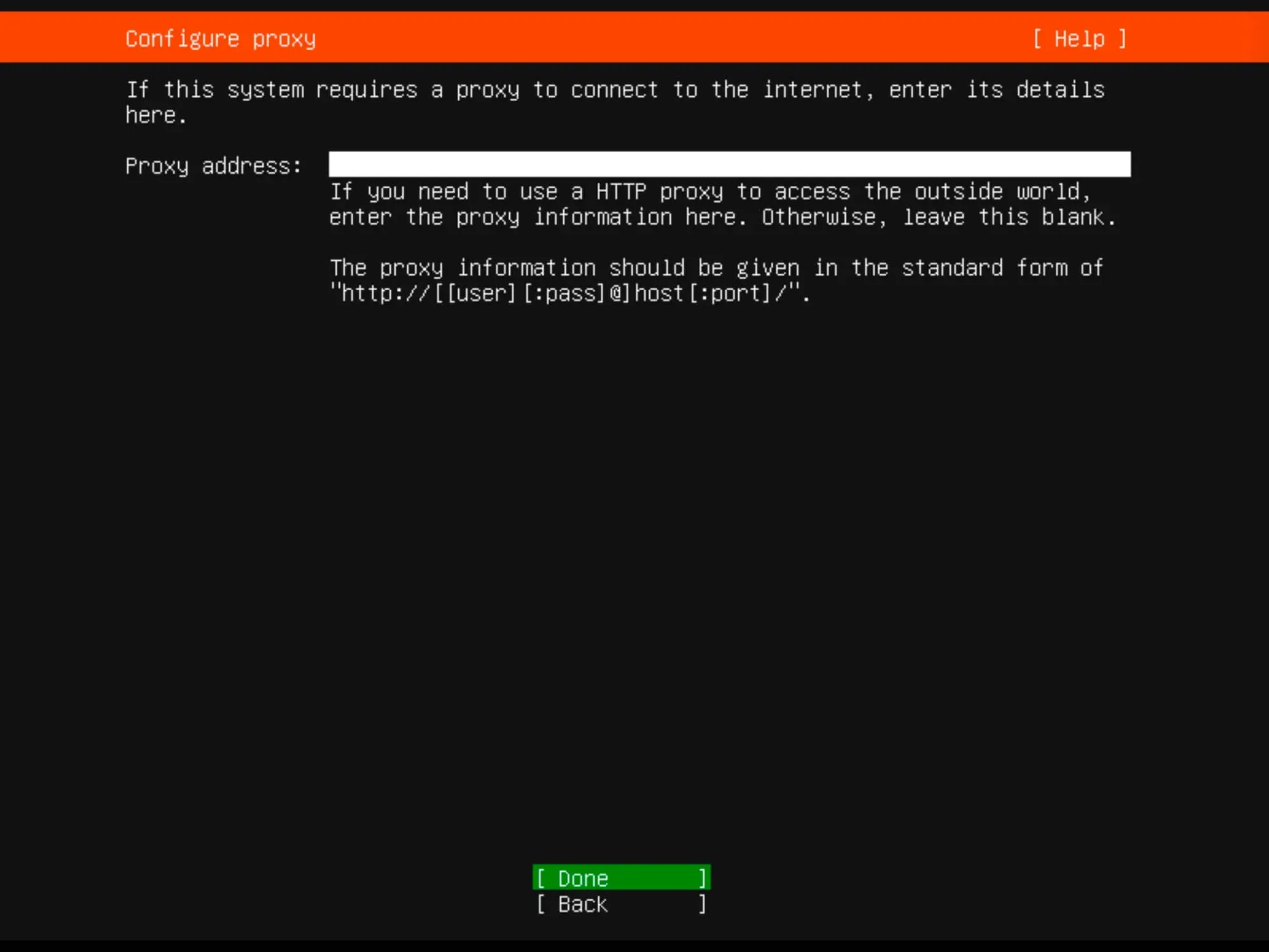
Install Ubuntu Server 22.04 LTS - Step 5

You can specify an alternate mirror address if necessary.

For this guide, leave it as default and click “Done”.
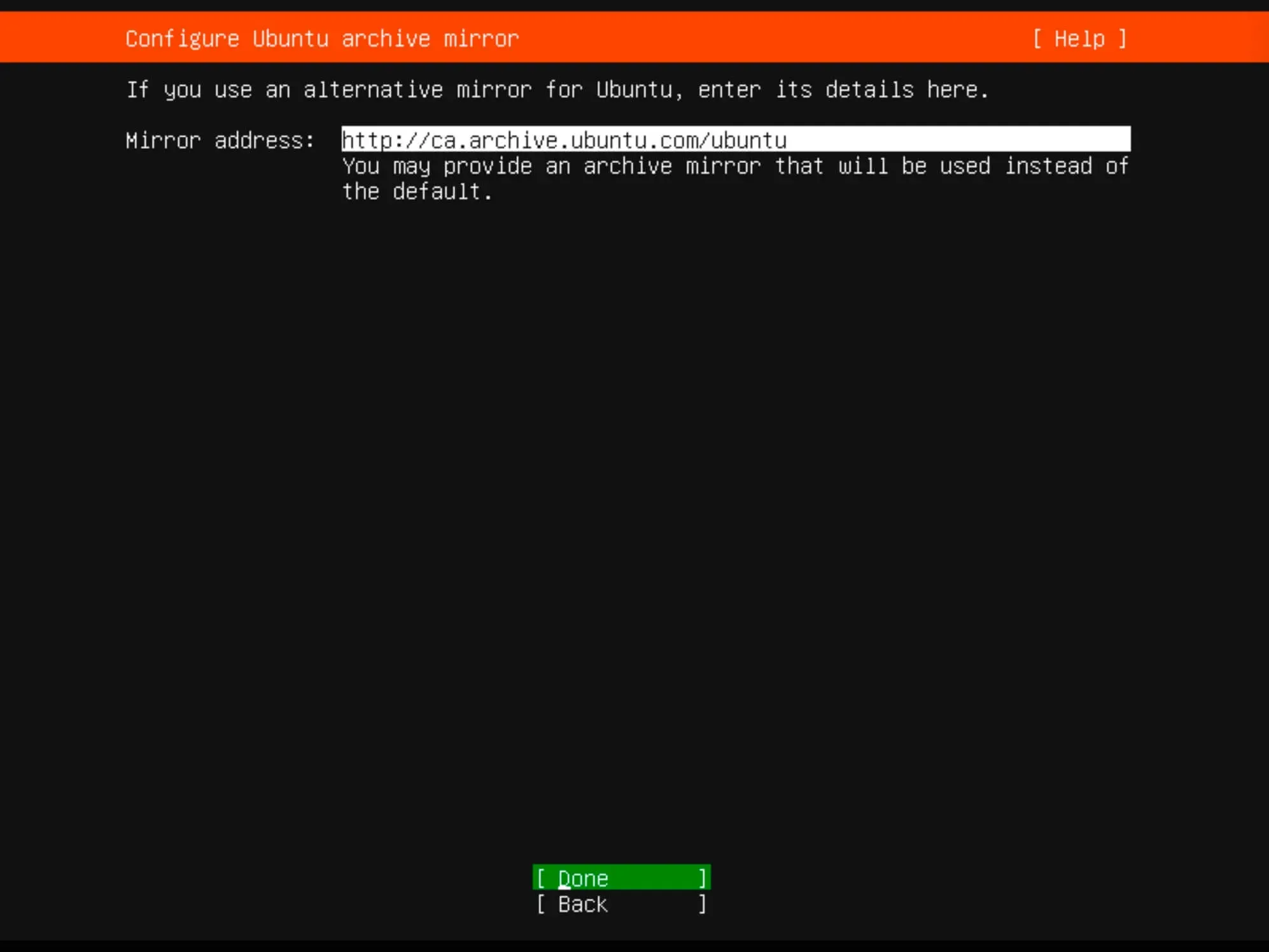
Install Ubuntu Server 22.04 LTS - Step 6

Determine the installation location. All available space will be used.

Choose “Use an entire disk” and then select “Set up this disk as an LVM group”.

Click “Done”.
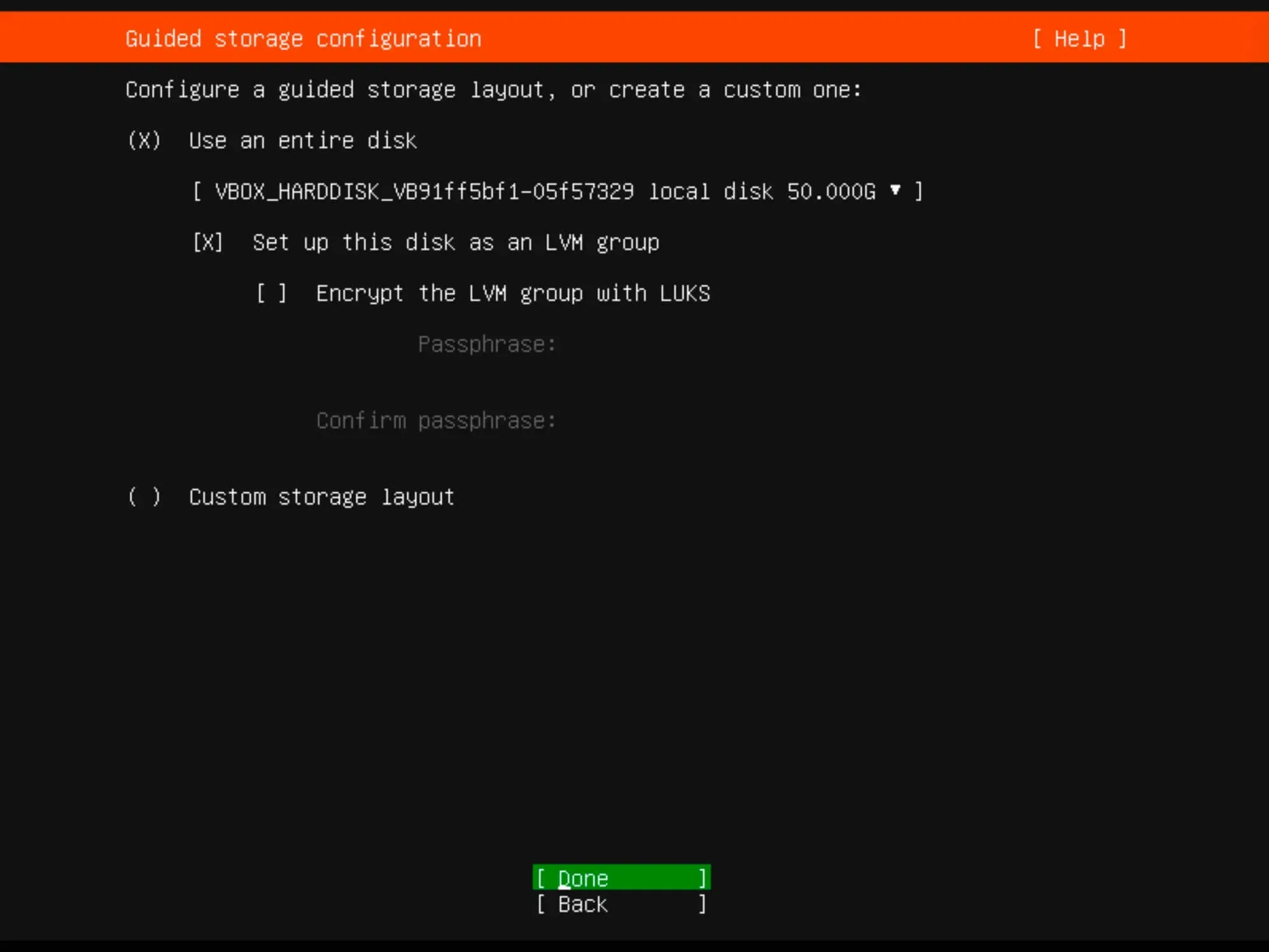
Install Ubuntu Server 22.04 LTS - Step 7

Verify the partitions and click “Done”.
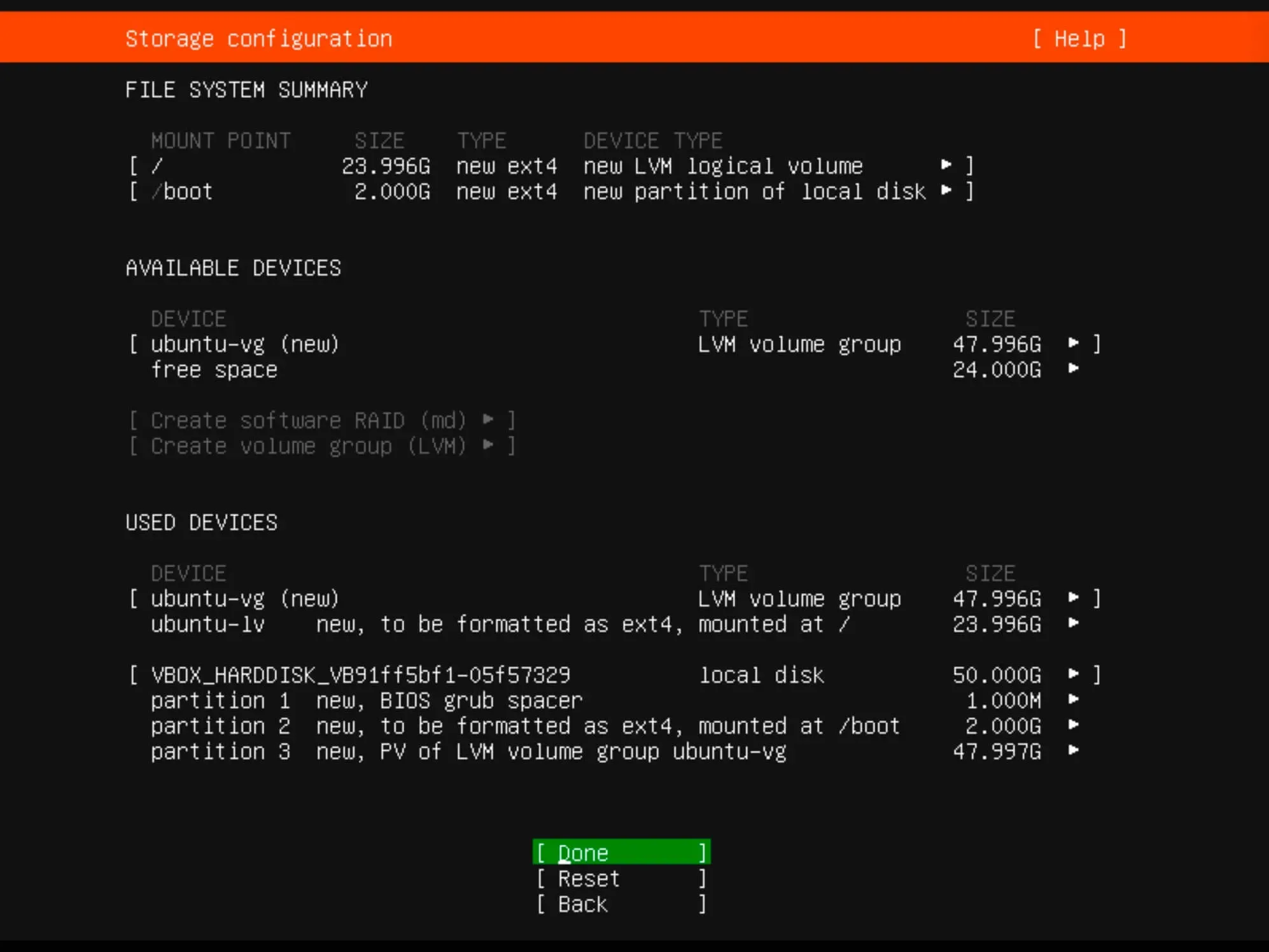
Install Ubuntu Server 22.04 LTS - Step 8

Now you need to confirm your changes.

To continue, click “Continue” and press “Enter”.
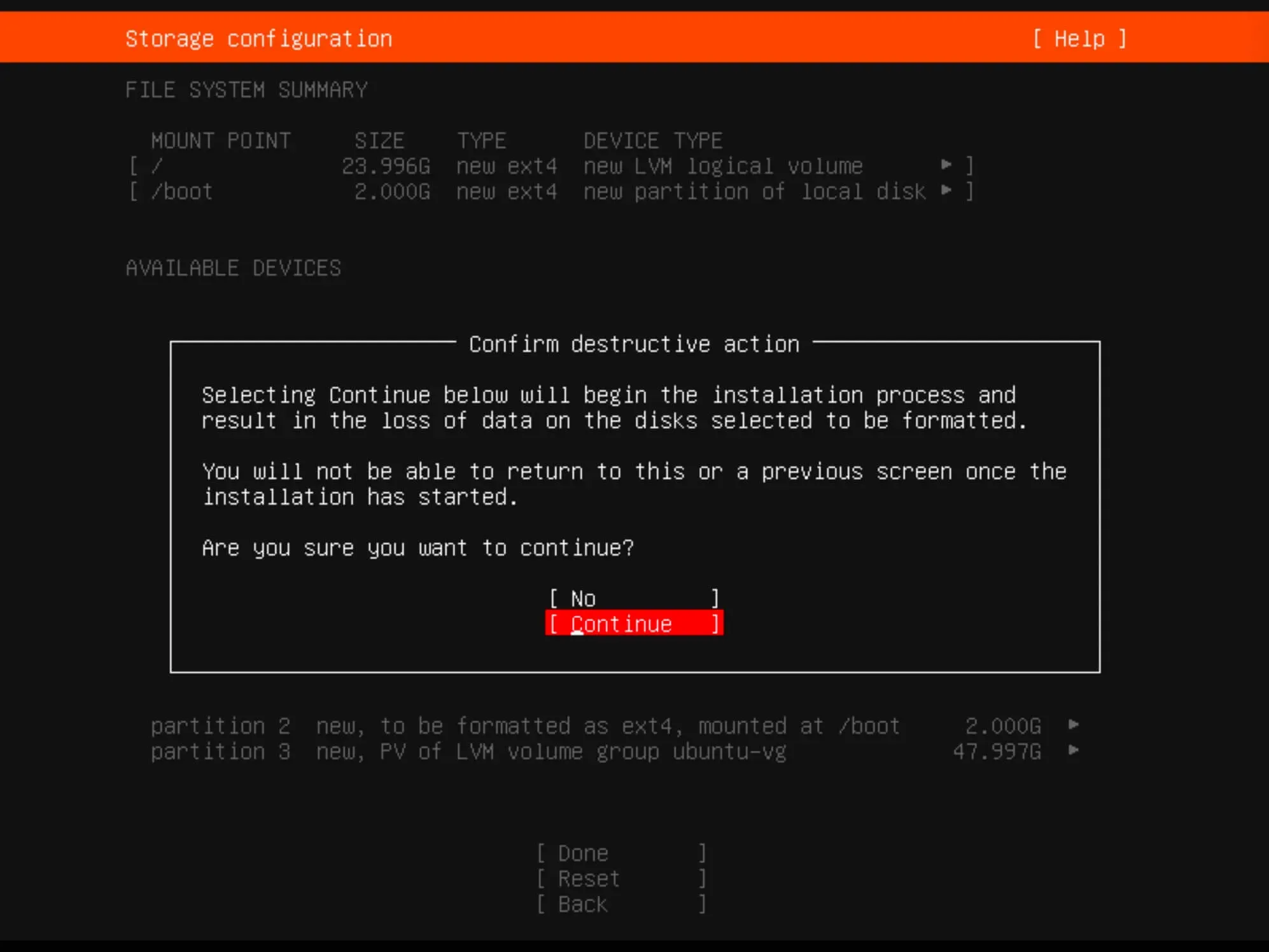
Install Ubuntu Server 22.04 LTS - Step 9

Provide the full username, server name, login, and password.

Click “Done”.
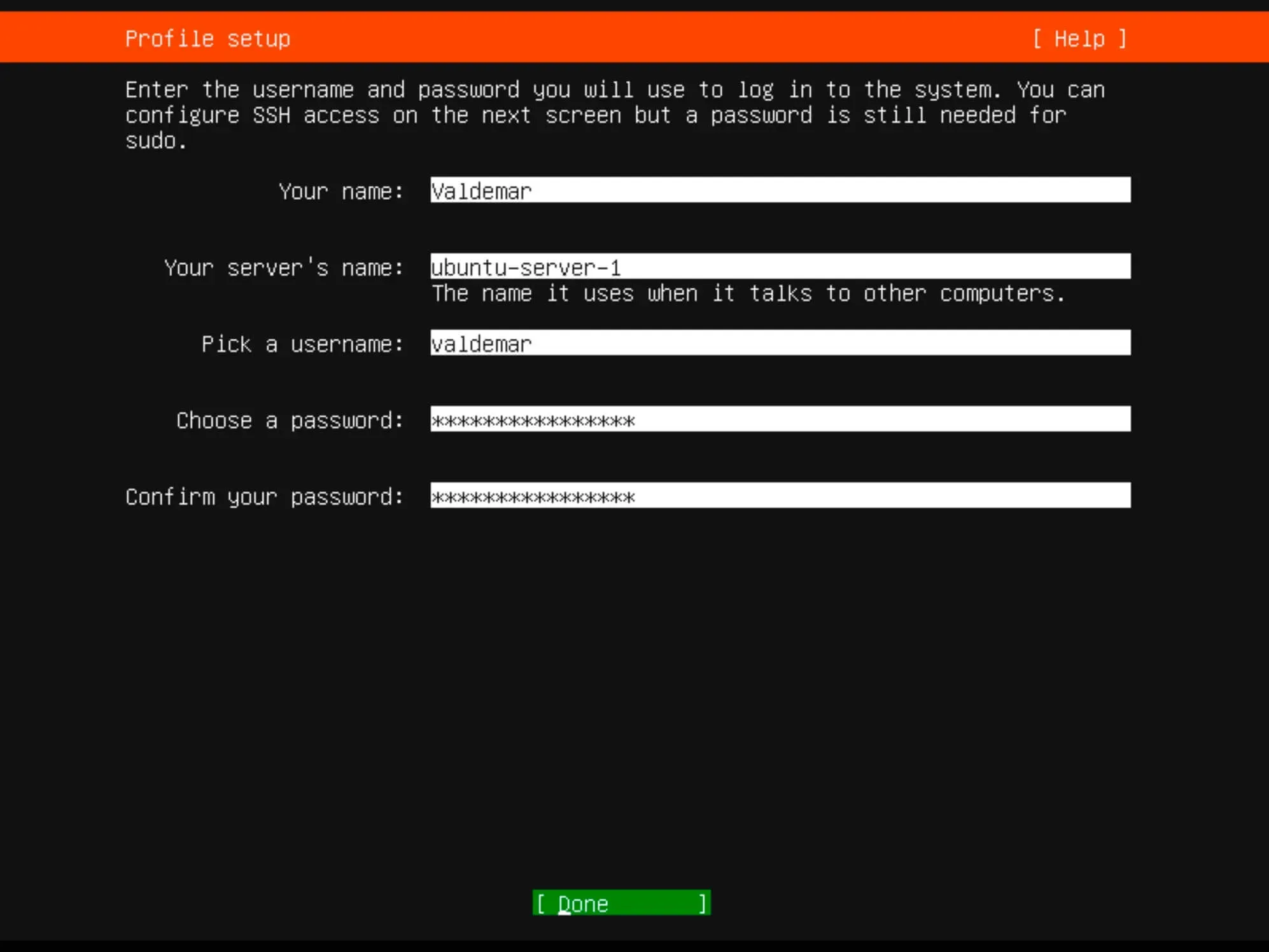
Install Ubuntu Server 22.04 LTS - Step 10

If you plan to use SSH, choose “Install OpenSSH server”.

Optionally, you can import SSH keys from Launchpad or Github.

Click “Done”.
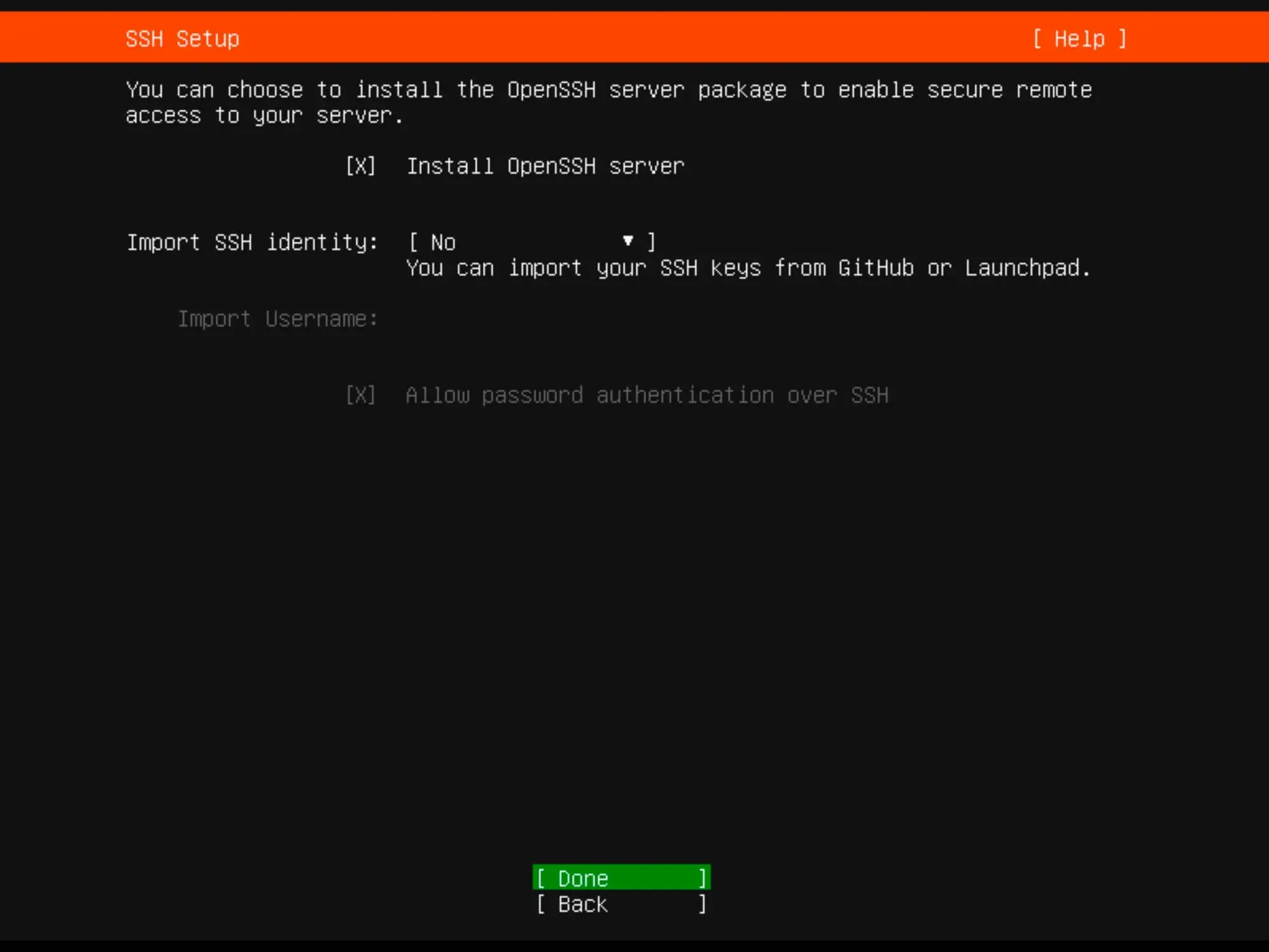
Install Ubuntu Server 22.04 LTS - Step 11

Select any other desired services or components.

Click “Done”.
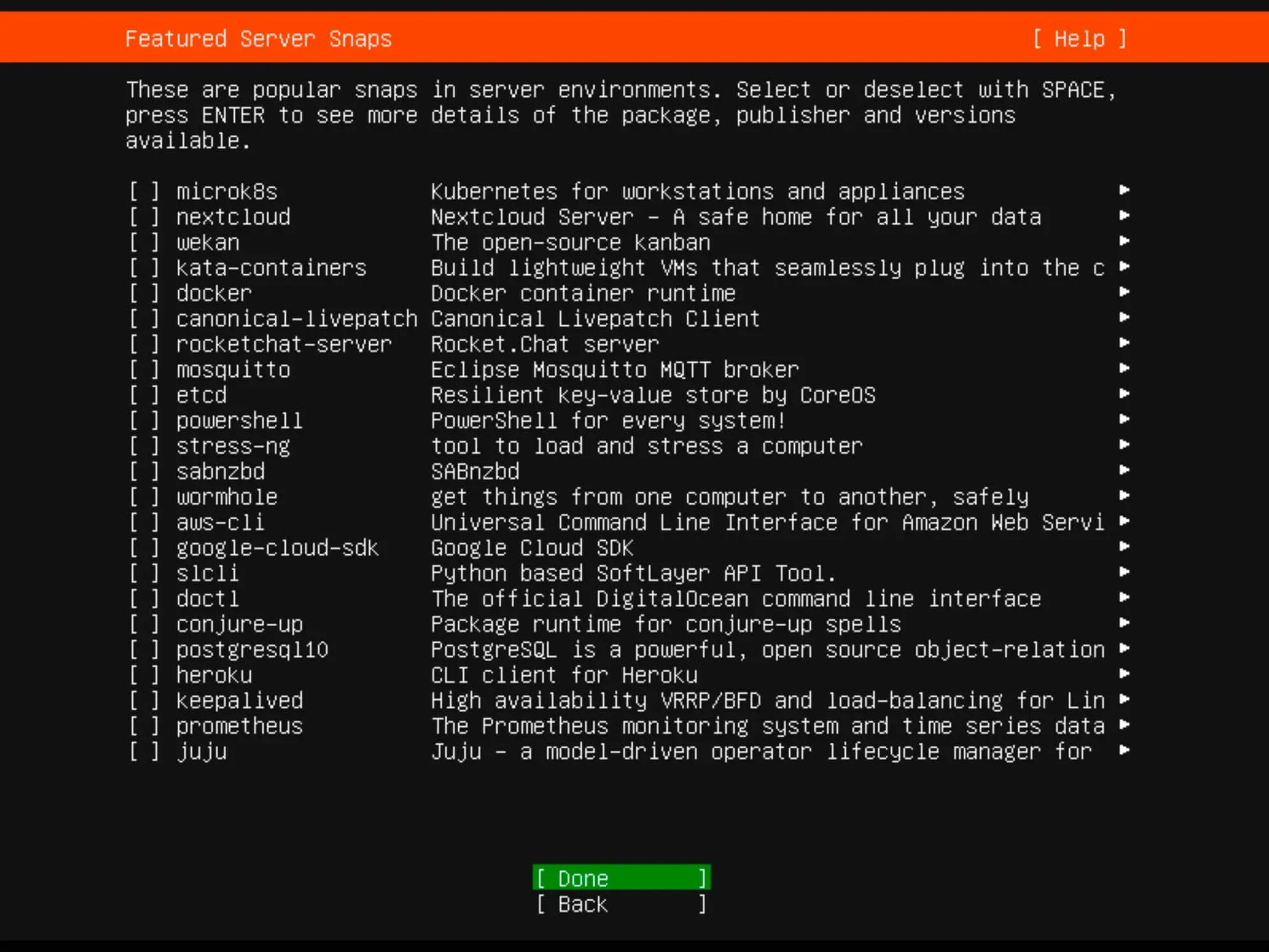
Install Ubuntu Server 22.04 LTS - Step 12

Monitor the installation progress until completion.
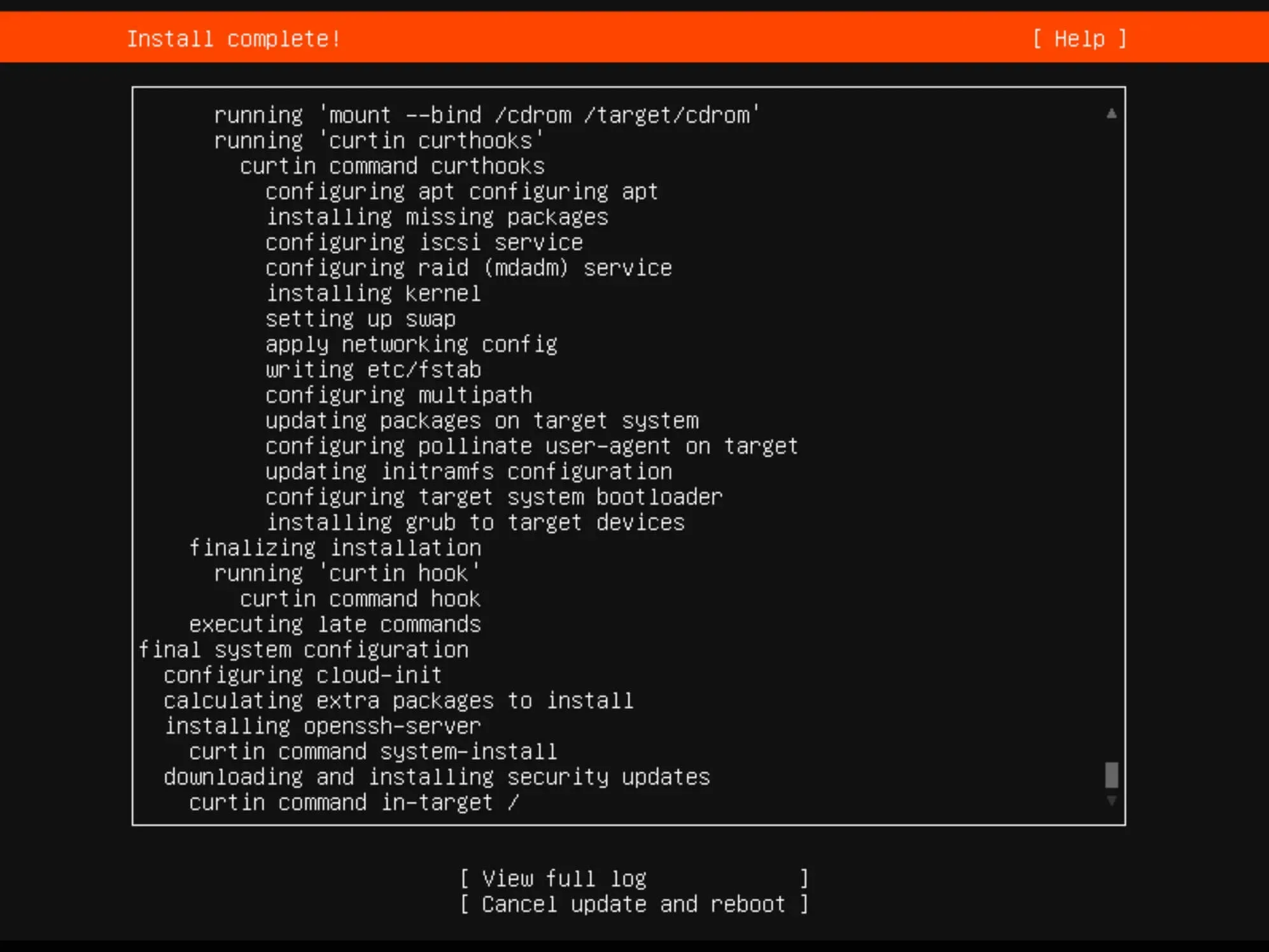
Install Ubuntu Server 22.04 LTS - Step 13

Once the installation is complete, click “Reboot”.
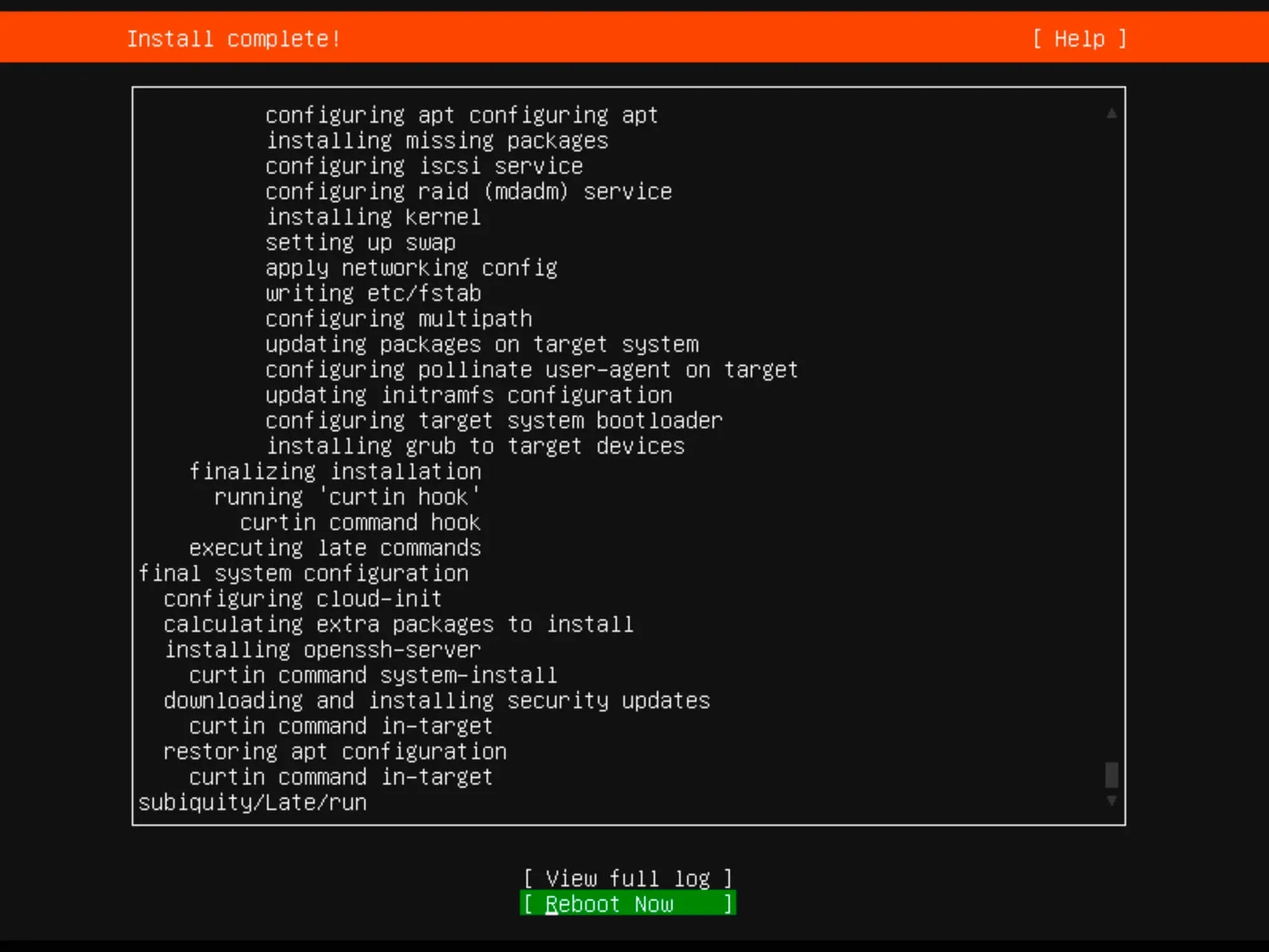
Install Ubuntu Server 22.04 LTS - Step 14

Remove the installation media.

Finally, enter the username and password you set up earlier during the installation for authentication.
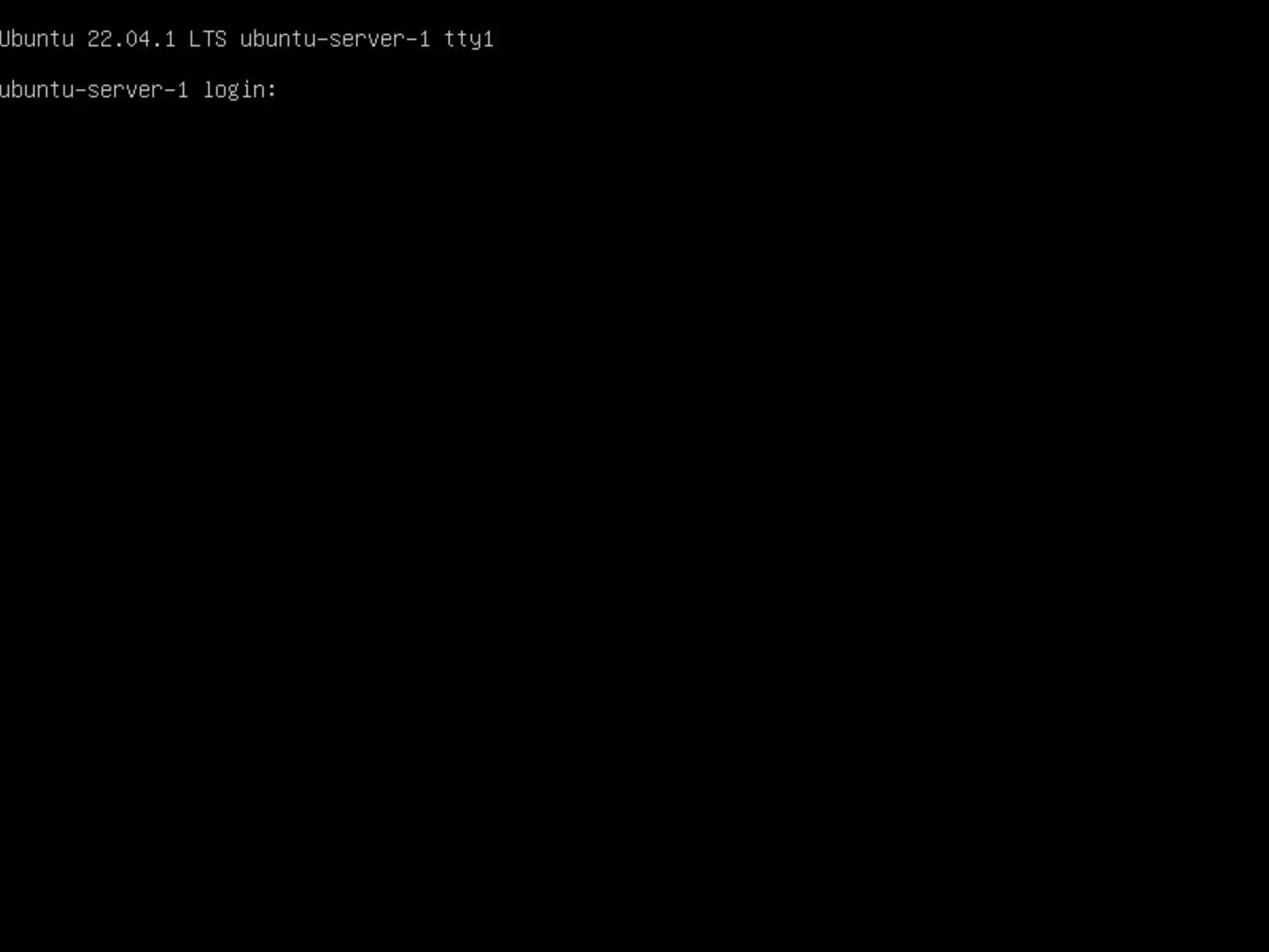
Install Ubuntu Server 22.04 LTS - Step 15


Vladimir Mikhalev

Docker Captain  ·  CNCF Ambassador  ·  IBM Champion

The Verdict — production-tested analysis on YouTube.

The Verdict

Inconvenient truths about shipping in the AI era

Container security, platform engineering, and the agentic shift — tested in production, argued without the hype. The verdict reaches your inbox the moment there's one worth sending.

Related Posts

Same category
  1. 1
    Recovering a Corrupt Exchange Database with Stellar Repair — Real-World Lab Test
    SysAdmin & IT Pro · We deliberately broke an Exchange 2019 server to test Stellar Repair on a dirty-shutdown EDB file. The recovery process, lab setup, and lessons learned.
  2. 2
    Terminal, Shell, Command Line, Prompt: Four Words, Four Things
    SysAdmin & IT Pro · The terminal is the window, the shell runs your commands, the prompt says it is ready, the command line is the idea. Plain definitions, examples, a cheat sheet.
  3. 3
    Install OTRS on Ubuntu Server
    SysAdmin & IT Pro · Guide to installing OTRS Community Edition on Ubuntu Server — configure PostgreSQL, Apache, and SSL with Let's Encrypt, and launch OTRS securely.
  4. 4
    Install Foreman on Ubuntu Server
    SysAdmin & IT Pro · Learn how to install Foreman on Ubuntu Server to manage, provision, and monitor infrastructure with Puppet integration in a few simple steps.

Random Posts

Random
  1. 1
    AI Didn't Fix Productivity. Measurement Did.
    Opinion & Culture · AI adoption is easy. Proving productivity isn't. A Docker Captain's view on why AI impact is hard to measure—and how teams can finally prove real value.
  2. 2
    Amazon Q vs DevOps Chaos — Can This AI Fix AWS Faster Than You?
    DevOps & Cloud · Fix AWS issues faster with Amazon Q, the AI assistant built for DevOps. Real-world examples, limitations, and how it compares to ChatGPT.
  3. 3
    Install Gitea Using Docker Compose
    Self-Hosting · Learn how to install Gitea using Docker Compose and Traefik with free SSL from Let's Encrypt. Self-host your Git service with secure Git over SSH.
  4. 4
    Update Kernel in Ubuntu
    SysAdmin & IT Pro · Learn how to safely update the Linux kernel in Ubuntu using Terminal and .deb packages. Step-by-step guide for system administrators and Linux users.
Install Ubuntu Server 22.04 LTS
https://heyvaldemar.com/install-ubuntu-server-22-04-lts/
Author
Vladimir Mikhalev
Published
2022-09-08
Updated
2026-06-11
License
CC BY-NC-SA 4.0