410 words
2 min read

Create an Offline Address Book in Exchange Server 2013

By · Docker Captain · CNCF Ambassador · IBM Champion
Cover image for the post 'Create an Offline Address Book in Exchange Server 2013'

This article is for those looking for a detailed and clear guide on how to create an offline address book in Exchange Server 2013.

The offline address book is designed so that Microsoft Outlook users can view the address book even when they are not connected to the Exchange server. In addition, offline address books can help reduce the load on Exchange servers.

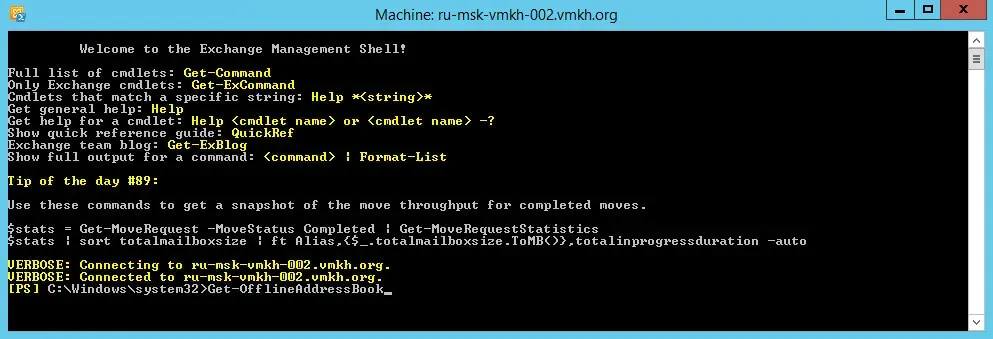
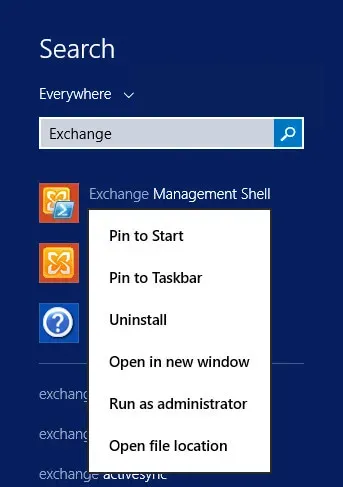
Click “Start”, point to “Exchange” in the search bar, then right-click on “Exchange Management Shell” and select “Run as administrator”.
Create an Offline Address Book in Exchange Server 2013 - Step 1

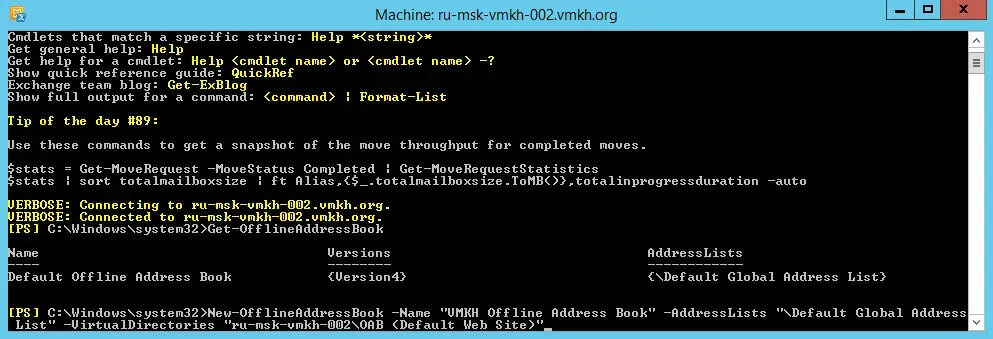
Let’s see the existing address books using the command:

Terminal window
Get-OfflineAddressBook

Create an Offline Address Book in Exchange Server 2013 - Step 2

NOTE

Installing the Mailbox server role creates a default offline address book named “Default Offline Address Book”.

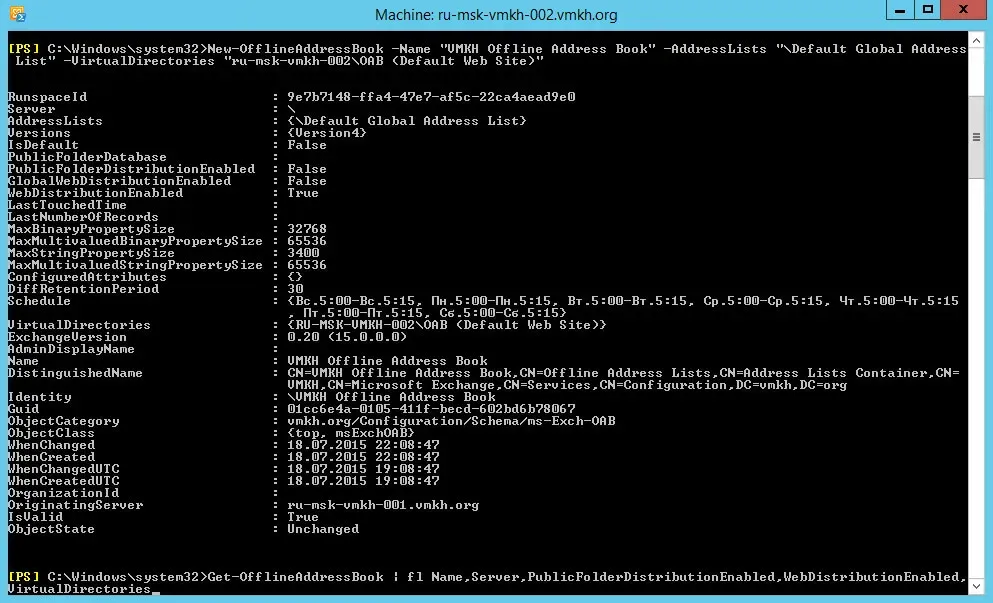
Let’s create a new offline address book using the command:

Terminal window
New-OfflineAddressBook -Name "VMKH Offline Address Book" -AddressLists "\Default Global Address List" -VirtualDirectories "us-boston-vmkh-002\OAB (Default Web Site)"
Create an Offline Address Book in Exchange Server 2013 - Step 3

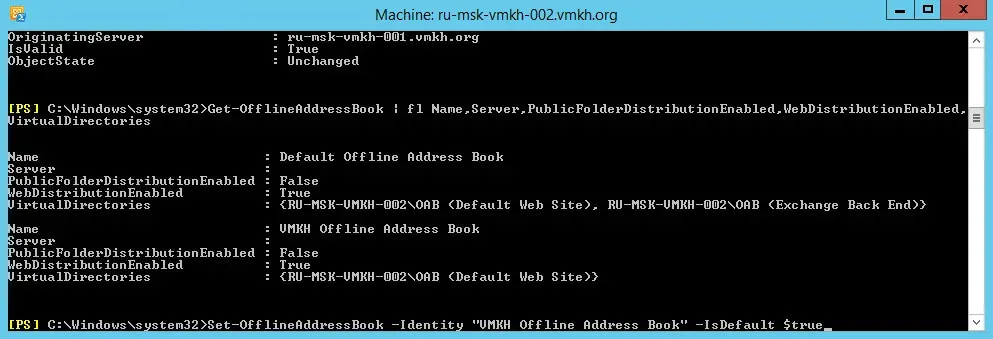
To view existing address books and their main parameters, you can run the command:

Terminal window
Get-OfflineAddressBook | fl Name,Server, PublicFolderDistributionEnabled,WebDistributionEnabled,VirtualDirectories
Create an Offline Address Book in Exchange Server 2013 - Step 4

The new offline address book was created successfully, and you can then set it as the default offline address book. Thus, it will be associated with all created mailbox databases.

Terminal window
Set-OfflineAddressBook -Identity "VMKH Offline Address Book" -IsDefault $true
Create an Offline Address Book in Exchange Server 2013 - Step 5

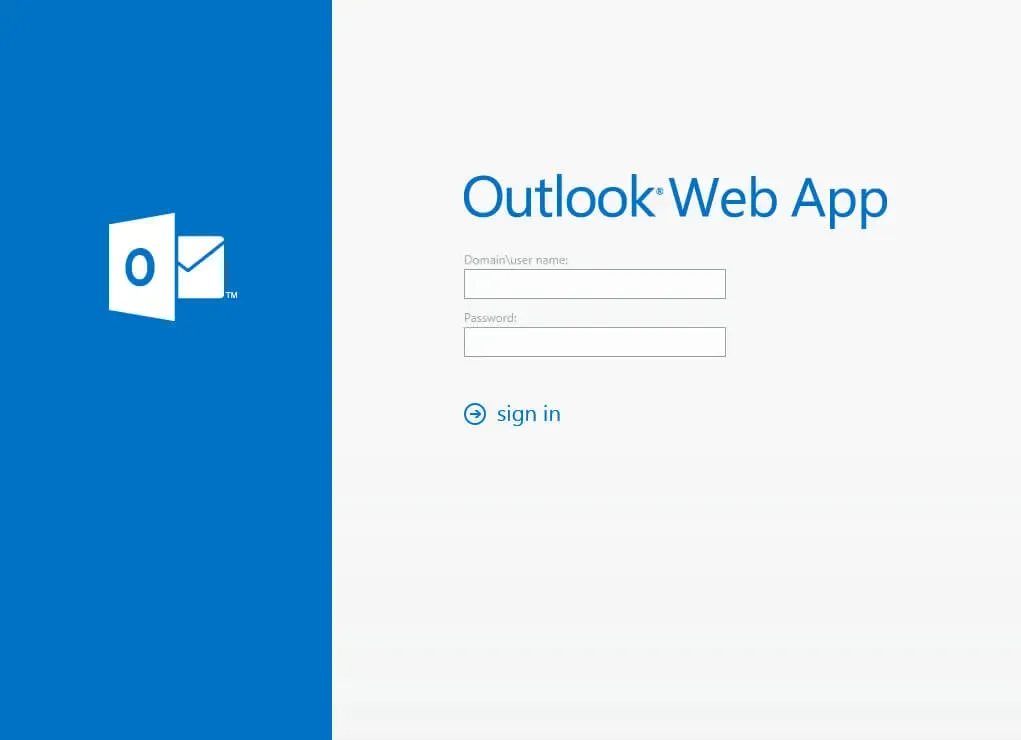
Now we go to the server with Exchange Server 2013 installed and go to the Exchange Admin Center, which is located at the link https://us-boston-vmkh-002/ecp, where us-boston-vmkh-002 is the name of my Exchange server.

Specify the username and password to enter the “Exchange Administration Center” and click the “Sign in” button.
Create an Offline Address Book in Exchange Server 2013 - Step 6

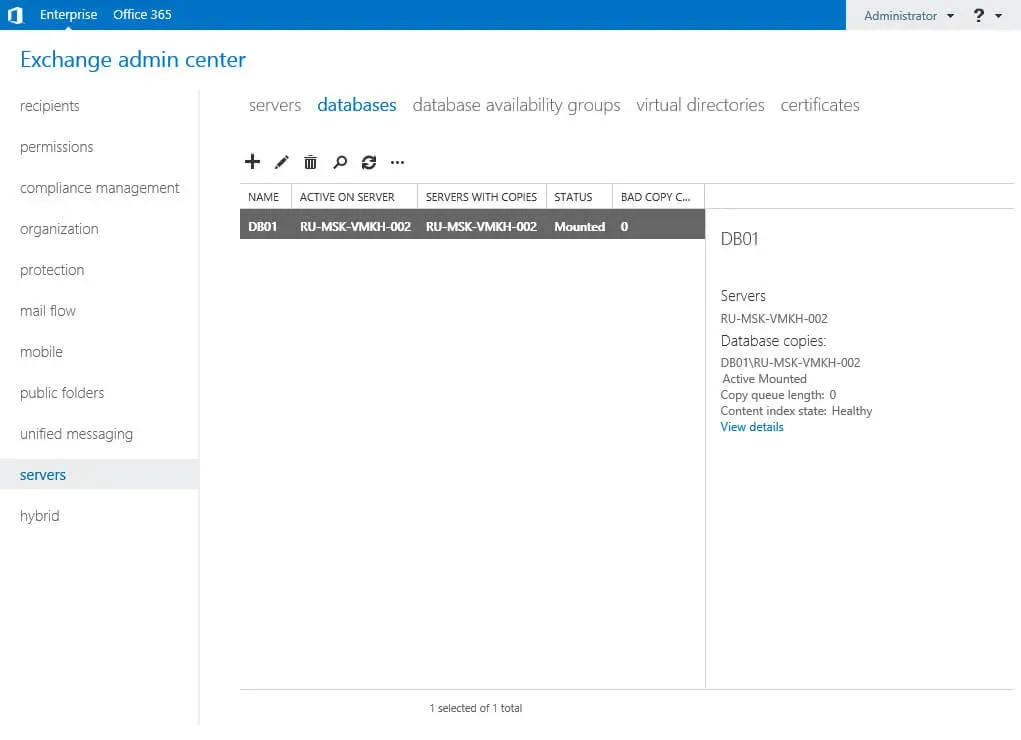
Go to the “Servers” section, select the “Databases” subsection, then select the database and double-click on it with the left mouse button.
Create an Offline Address Book in Exchange Server 2013 - Step 7

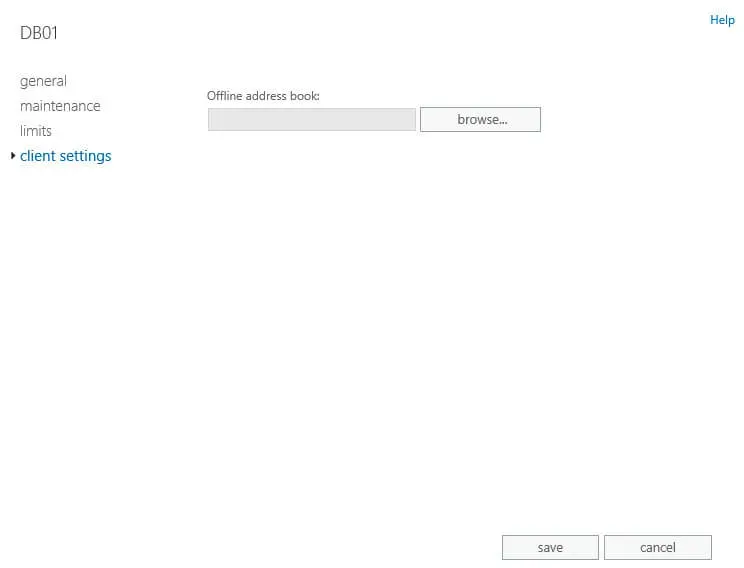
In the Client Settings section, you must specify the new Exchange OAB.

Click on the “Browse” button.
Create an Offline Address Book in Exchange Server 2013 - Step 8

Select the new Exchange OAB and click on the “OK” button.
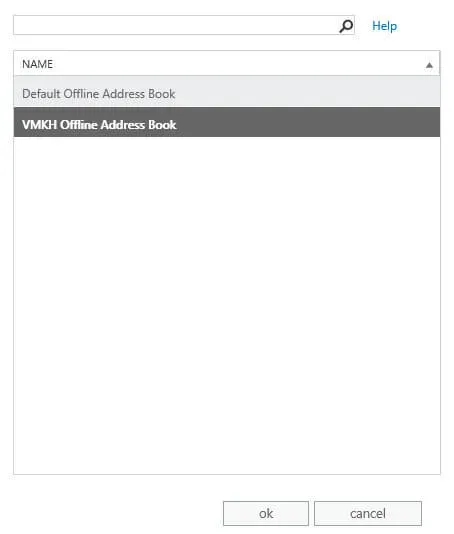
Create an Offline Address Book in Exchange Server 2013 - Step 9

The new Exchange OAB is listed.

NOTE

If you have multiple Exchange databases, you need to specify a new OAB for each database.

Click on the “Save” button.
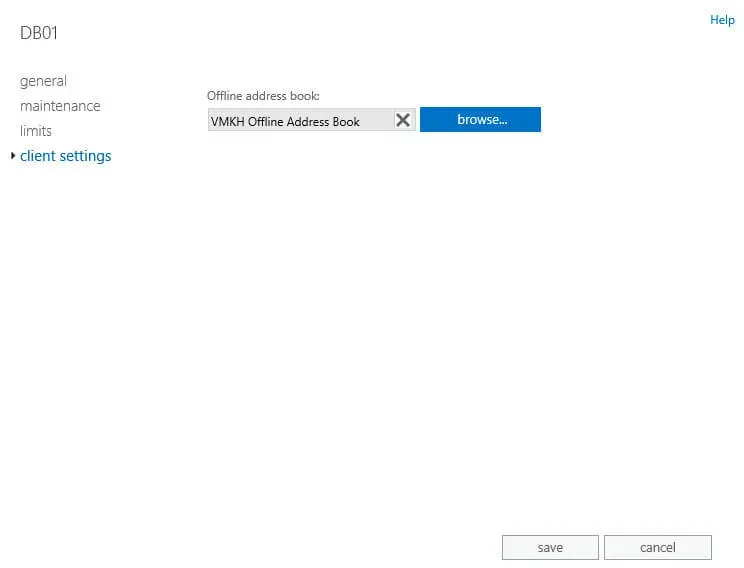
Create an Offline Address Book in Exchange Server 2013 - Step 10


Vladimir Mikhalev

Docker Captain  ·  CNCF Ambassador  ·  IBM Champion

The Verdict — production-tested analysis on YouTube.

The Verdict

Inconvenient truths about shipping in the AI era

Container security, platform engineering, and the agentic shift — tested in production, argued without the hype. The verdict reaches your inbox the moment there's one worth sending.

Related Posts

Same category
  1. 1
    Recovering a Corrupt Exchange Database with Stellar Repair — Real-World Lab Test
    SysAdmin & IT Pro · We deliberately broke an Exchange 2019 server to test Stellar Repair on a dirty-shutdown EDB file. The recovery process, lab setup, and lessons learned.
  2. 2
    Terminal, Shell, Command Line, Prompt: Four Words, Four Things
    SysAdmin & IT Pro · The terminal is the window, the shell runs your commands, the prompt says it is ready, the command line is the idea. Plain definitions, examples, a cheat sheet.
  3. 3
    Install Ubuntu Server 22.04 LTS
    SysAdmin & IT Pro · Step-by-step guide to install Ubuntu Server 22.04 LTS. Covers language, disk setup, OpenSSH, user creation, and system configuration for beginners.
  4. 4
    Install OTRS on Ubuntu Server
    SysAdmin & IT Pro · Guide to installing OTRS Community Edition on Ubuntu Server — configure PostgreSQL, Apache, and SSL with Let's Encrypt, and launch OTRS securely.

Random Posts

Random
  1. 1
    Terraform Tags That Hold Up: default_tags, merge(), One Team Standard
    DevOps & Cloud · Tag every resource once with default_tags, combine tags with merge(), ignore tags other tools change, and keep one scheme across teams, with tools that check it.
  2. 2
    Install Windows Server 2008 R2
    SysAdmin & IT Pro · Comprehensive step-by-step guide to install Windows Server 2008 R2 using official ISO media. Ensure stability and performance with a clean setup.
  3. 3
    Install OTRS on Ubuntu Server
    SysAdmin & IT Pro · Guide to installing OTRS Community Edition on Ubuntu Server — configure PostgreSQL, Apache, and SSL with Let's Encrypt, and launch OTRS securely.
  4. 4
    Install Windows Server 2019 Server Core
    SysAdmin & IT Pro · Step-by-step guide to install Windows Server 2019 Server Core. Learn how to set up a minimal, secure, and efficient Windows Server environment.
Create an Offline Address Book in Exchange Server 2013
https://heyvaldemar.com/create-an-offline-address-book-in-exchange-server-2013/
Author
Vladimir Mikhalev
Published
2015-07-18
Updated
2026-03-23
License
CC BY-NC-SA 4.0