164 words
1 min read

Install Firmware for Kernel Drivers on Ubuntu

By · Docker Captain · CNCF Ambassador · IBM Champion
Cover image for the post 'Install Firmware for Kernel Drivers on Ubuntu'

This article is for those looking for a detailed and straightforward guide on installing firmware for kernel drivers on Ubuntu.

Visit the linux-firmware directory, then locate and copy the URL of the latest .deb file for the “linux-firmware” package.
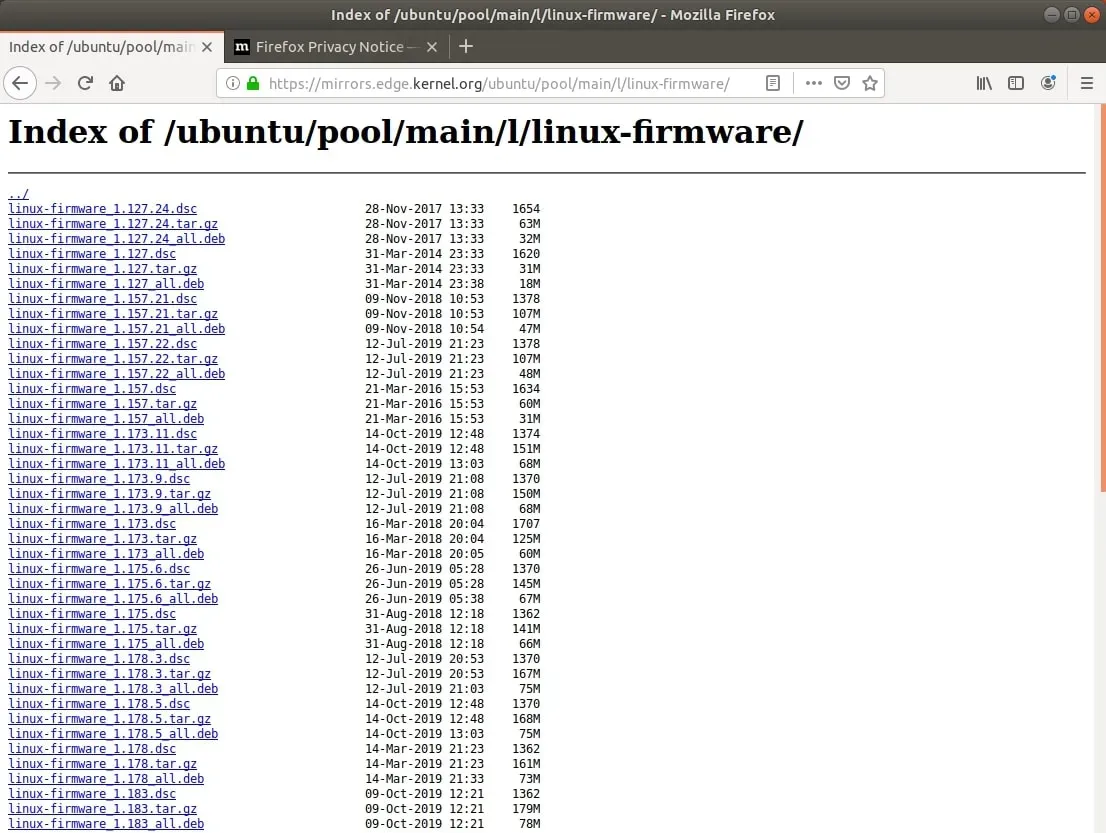
Install Firmware for Kernel Drivers on Ubuntu - Step 1

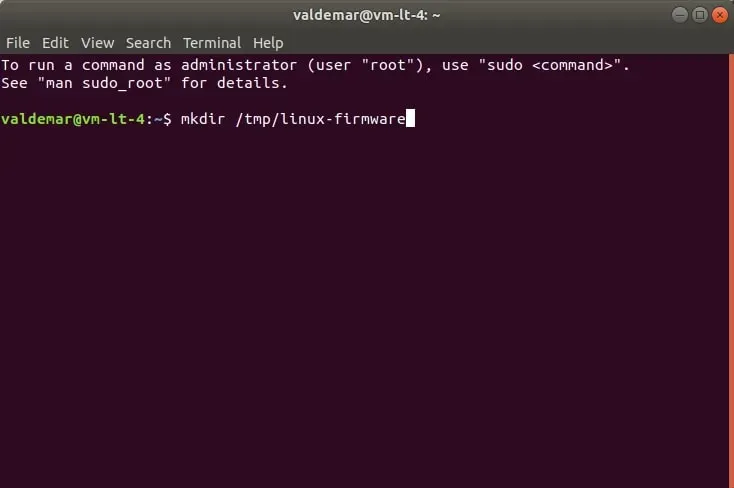
Create a new directory for the “linux-firmware” package using the command:

Terminal window
mkdir /tmp/linux-firmware

Install Firmware for Kernel Drivers on Ubuntu - Step 2

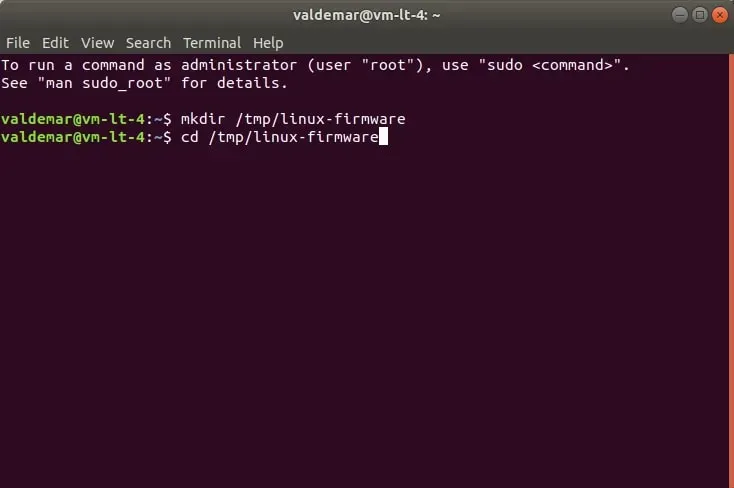
Go to the new directory using the command:

Terminal window
cd /tmp/linux-firmware

Install Firmware for Kernel Drivers on Ubuntu - Step 3

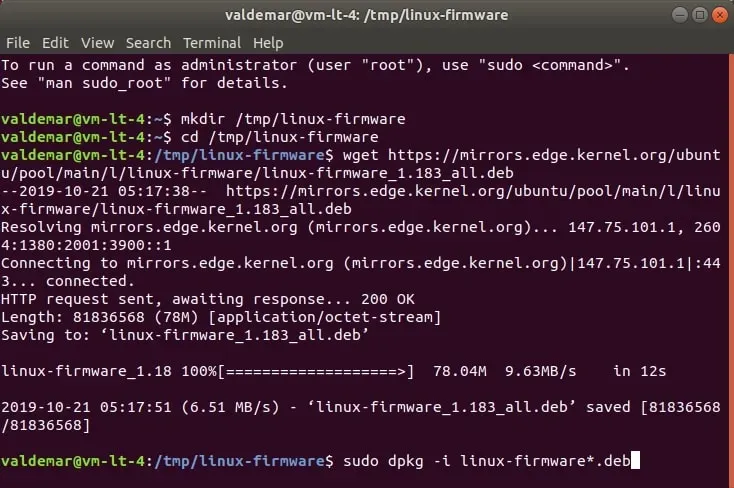
Download the new version of the “linux-headers” package with the “.deb” extension using the command:

Terminal window
wget https://mirrors.edge.kernel.org/ubuntu/pool/main/l/linux-firmware/linux-firmware_1.183_all.deb
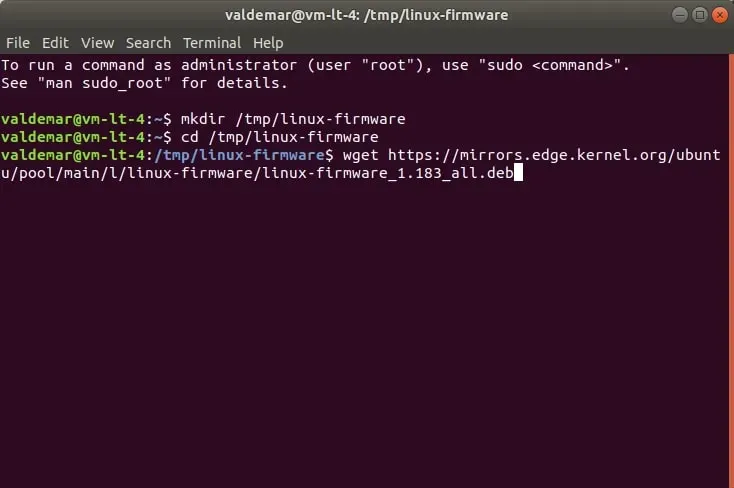
Install Firmware for Kernel Drivers on Ubuntu - Step 4

Now you need to install the downloaded package using the command:

Terminal window
sudo dpkg -i *.deb

Install Firmware for Kernel Drivers on Ubuntu - Step 5

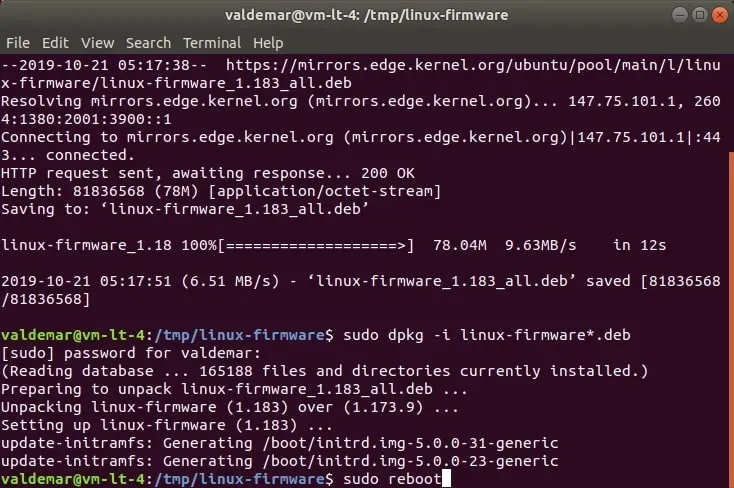
Specify the password for the account and press “Enter”.
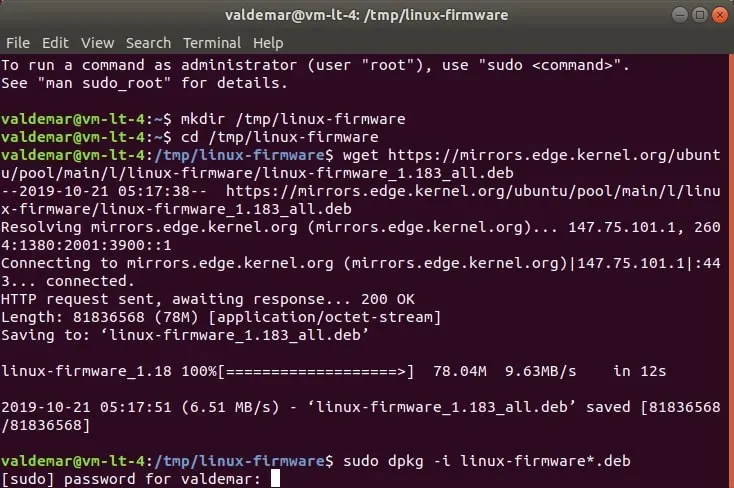
Install Firmware for Kernel Drivers on Ubuntu - Step 6

We reboot the operating system using the command:

Terminal window
sudo reboot

Install Firmware for Kernel Drivers on Ubuntu - Step 7


Vladimir Mikhalev

Docker Captain  ·  CNCF Ambassador  ·  IBM Champion

The Verdict — production-tested analysis on YouTube.

The Verdict

Inconvenient truths about shipping in the AI era

Container security, platform engineering, and the agentic shift — tested in production, argued without the hype. The verdict reaches your inbox the moment there's one worth sending.

Related Posts

Same category
  1. 1
    Recovering a Corrupt Exchange Database with Stellar Repair — Real-World Lab Test
    SysAdmin & IT Pro · We deliberately broke an Exchange 2019 server to test Stellar Repair on a dirty-shutdown EDB file. The recovery process, lab setup, and lessons learned.
  2. 2
    Terminal, Shell, Command Line, Prompt: Four Words, Four Things
    SysAdmin & IT Pro · The terminal is the window, the shell runs your commands, the prompt says it is ready, the command line is the idea. Plain definitions, examples, a cheat sheet.
  3. 3
    Install Ubuntu Server 22.04 LTS
    SysAdmin & IT Pro · Step-by-step guide to install Ubuntu Server 22.04 LTS. Covers language, disk setup, OpenSSH, user creation, and system configuration for beginners.
  4. 4
    Install OTRS on Ubuntu Server
    SysAdmin & IT Pro · Guide to installing OTRS Community Edition on Ubuntu Server — configure PostgreSQL, Apache, and SSL with Let's Encrypt, and launch OTRS securely.

Random Posts

Random
  1. 1
    Run a Script When macOS Boots: launchd First, cron as the Fallback
    SysAdmin & IT Pro · LaunchDaemon for boot as root, LaunchAgent for your login: the plist, the launchctl bootstrap commands, where the logs go, and why cron @reboot is only the fallback.
  2. 2
    Merge Debt: The 2026 Bill Your Parallel AI Agents Are Running Up
    Opinion & Culture · Three agents finish in parallel. Main takes one landing at a time. METR's perception gap, the rebase tax, and why Merge Debt is the number nobody plots.
  3. 3
    Docker supply chain hardening — from Scout D to OpenSSF 7.8 on a 730K-pull image
    DevOps & Cloud · How I hardened a 1M-pull public Docker image from Scout grade D to OpenSSF Scorecard 7.8 — multi-stage build, cosign, SLSA provenance, non-root default.
  4. 4
    AI-BOM at Admission — The Cluster Refused a Signed Model for Its Licence
    AI & MLOps · An AI-BOM read at admission. Everything crosses the air gap as one signed file, and a signed model is refused for its licence. CycloneDX, Kyverno, cosign.
Install Firmware for Kernel Drivers on Ubuntu
https://heyvaldemar.com/install-firmware-for-kernel-drivers-on-ubuntu/
Author
Vladimir Mikhalev
Published
2019-10-21
Updated
2026-03-23
License
CC BY-NC-SA 4.0