231 words
1 min read

Trim Windows 10 Startup: Task Manager and the Two Startup Folders

By · Docker Captain · CNCF Ambassador · IBM Champion
Cover image for the post 'Minimize Programs on Windows 10 Startup'

This article is for those looking for a detailed and clear guide on how to minimize programs on Windows 10 startup.

NOTE

For this example, we will be working with Microsoft Edge.

Right-click on the shortcut of the program that you want to automatically launch when the system boots, then select “Copy”.
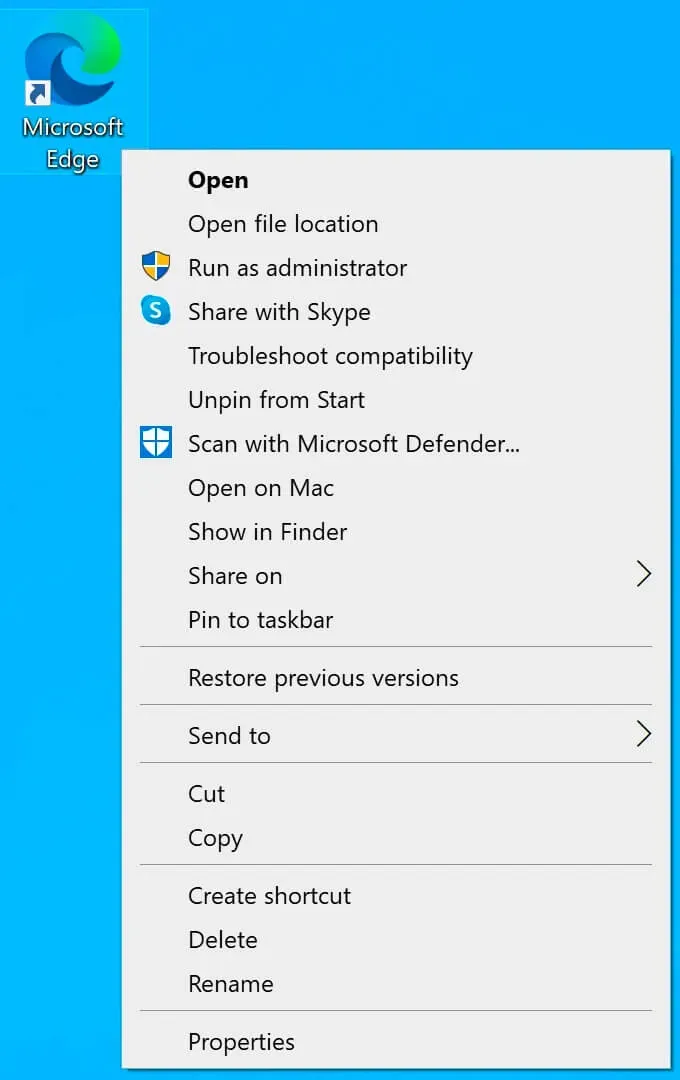
Minimize Programs on Windows 10 Startup - Step 1

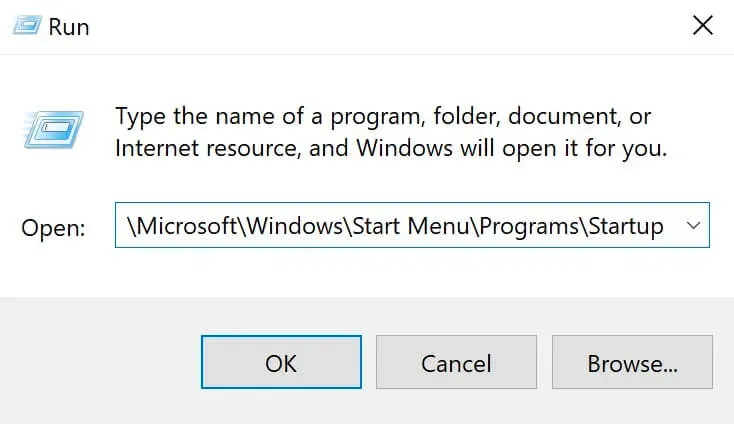
On the keyboard, press the key combination “Win” and “r”, then enter:

%USERPROFILE%\AppData\Roaming\Microsoft\Windows\Start Menu\Programs\Startup
NOTE

If you want the program to automatically start for all users, then you must enter:

C:\ProgramData\Microsoft\Windows\Start Menu\Programs\StartUp

Click on the “OK” button.

Minimize Programs on Windows 10 Startup - Step 2

Right-click on an empty space in the folder and select “Paste”.
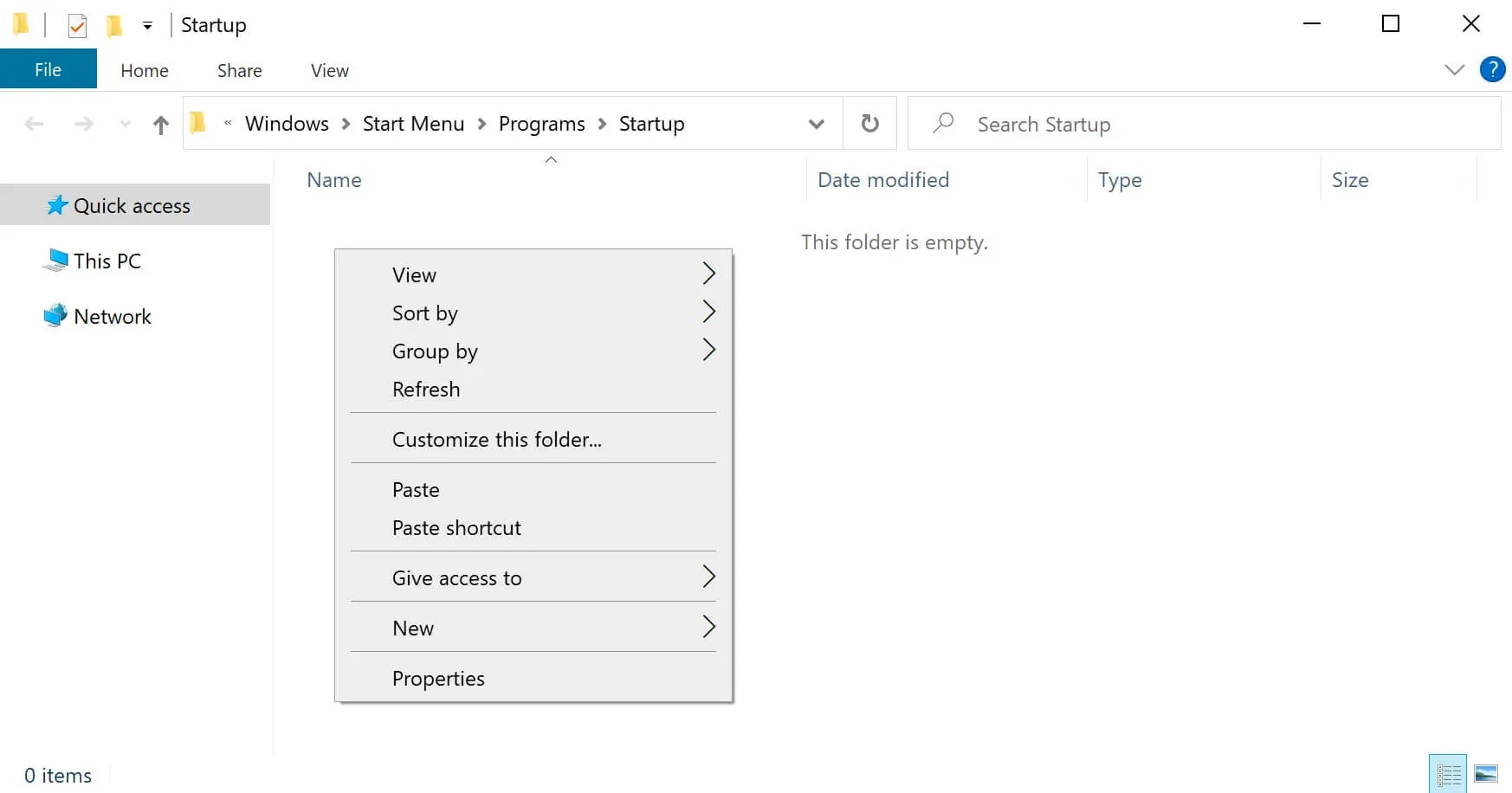
Minimize Programs on Windows 10 Startup - Step 3

Now the specified program will automatically start at system boot, and the program window will appear on top of the Windows desktop. This is not very convenient, so we will make the program run minimized.
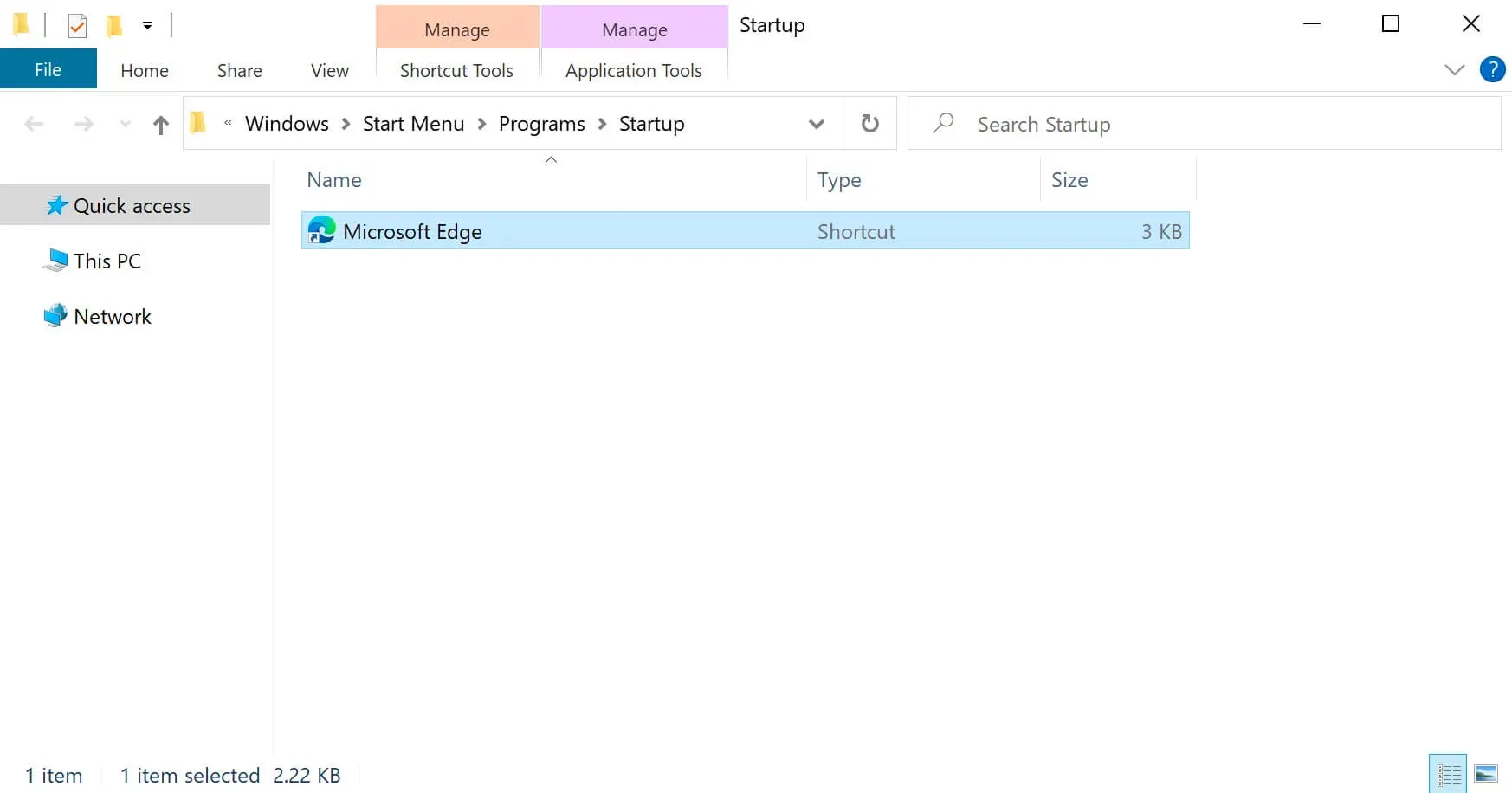
Minimize Programs on Windows 10 Startup - Step 4

Select the desired program shortcut and click on it with the right mouse button, then select “Properties”.
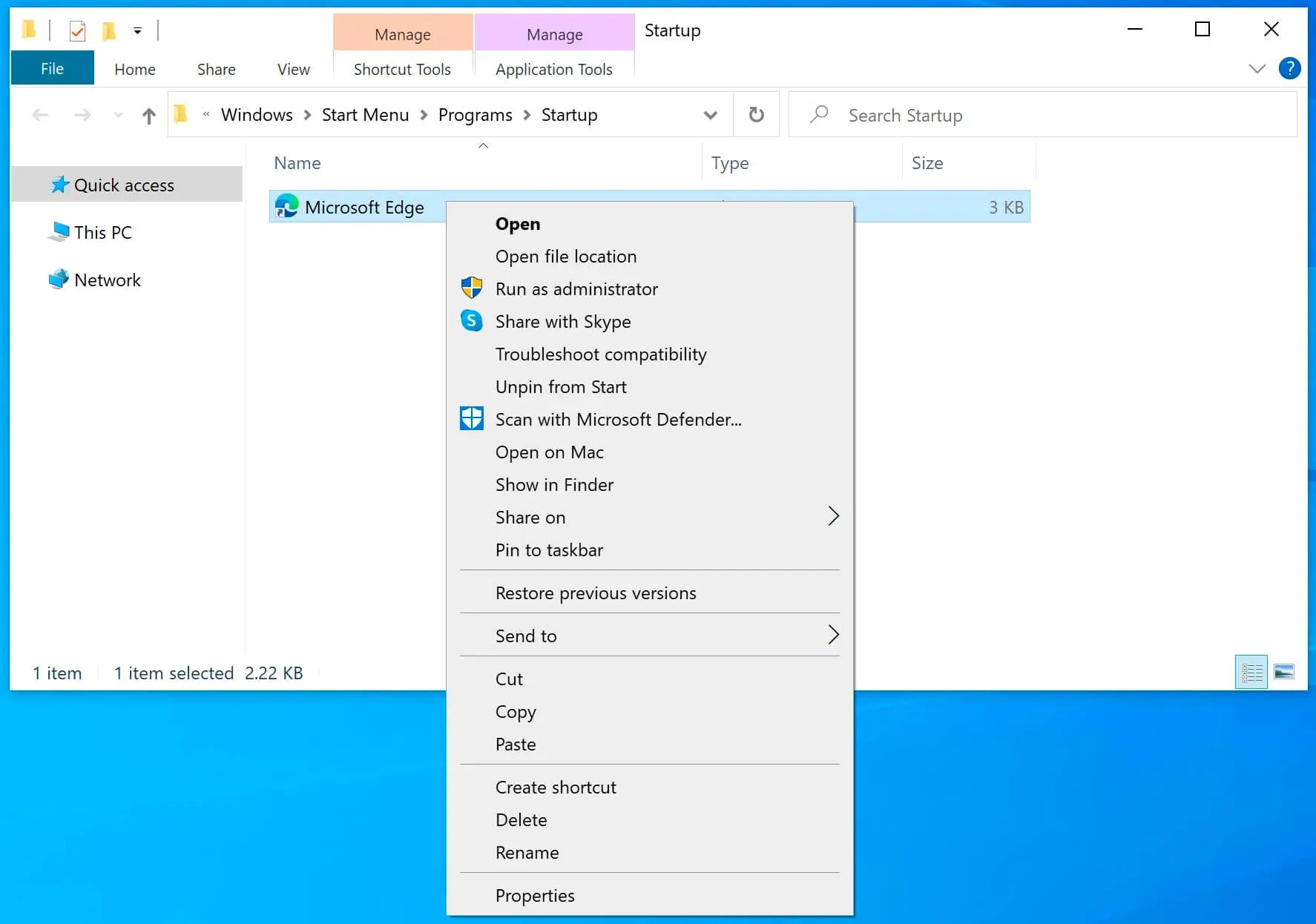
Minimize Programs on Windows 10 Startup - Step 5

In order for Microsoft Edge to start minimized, you must select “Minimized” in the “Run” section.

Click on the “OK” button.
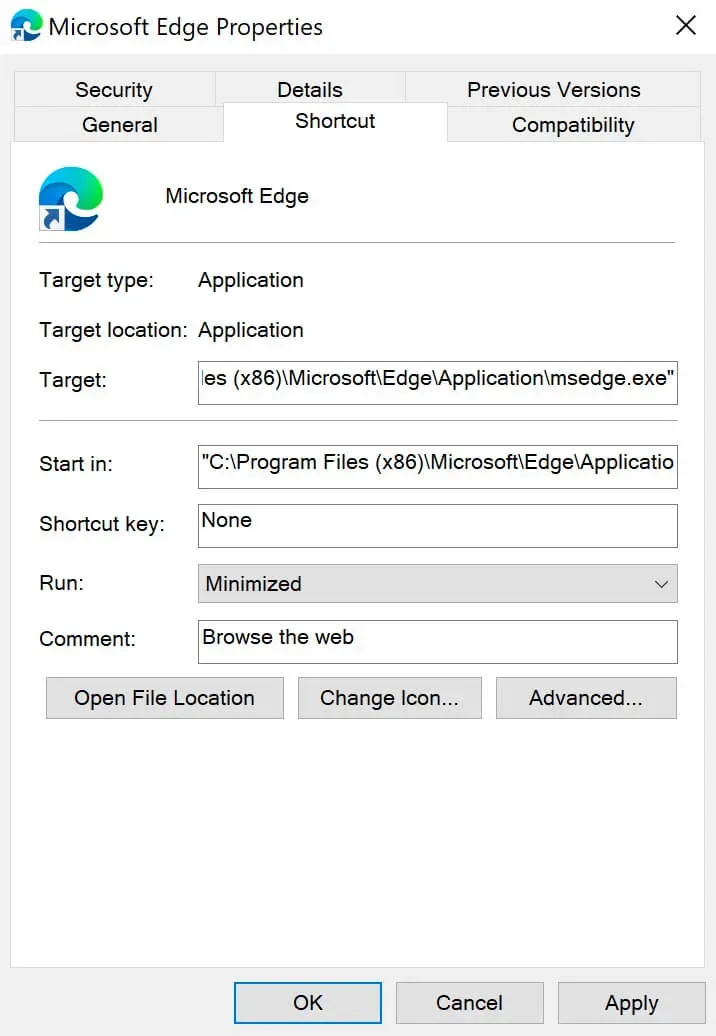
Minimize Programs on Windows 10 Startup - Step 6

Microsoft Edge will now automatically launch minimized when Windows boots up and thus won’t get in the way by appearing on top of the desktop.


Vladimir Mikhalev

Docker Captain  ·  CNCF Ambassador  ·  IBM Champion

The Verdict — production-tested analysis on YouTube.

The Verdict

Inconvenient truths about shipping in the AI era

Container security, platform engineering, and the agentic shift — tested in production, argued without the hype. The verdict reaches your inbox the moment there's one worth sending.

Related Posts

Same category
  1. 1
    Recovering a Corrupt Exchange Database with Stellar Repair — Real-World Lab Test
    SysAdmin & IT Pro · We deliberately broke an Exchange 2019 server to test Stellar Repair on a dirty-shutdown EDB file. The recovery process, lab setup, and lessons learned.
  2. 2
    Terminal, Shell, Command Line, Prompt: Four Words, Four Things
    SysAdmin & IT Pro · The terminal is the window, the shell runs your commands, the prompt says it is ready, the command line is the idea. Plain definitions, examples, a cheat sheet.
  3. 3
    Install Ubuntu Server 22.04 LTS
    SysAdmin & IT Pro · Step-by-step guide to install Ubuntu Server 22.04 LTS. Covers language, disk setup, OpenSSH, user creation, and system configuration for beginners.
  4. 4
    Install OTRS on Ubuntu Server
    SysAdmin & IT Pro · Guide to installing OTRS Community Edition on Ubuntu Server — configure PostgreSQL, Apache, and SSL with Let's Encrypt, and launch OTRS securely.

Random Posts

Random
  1. 1
    Docker Compose watch: Sync or Rebuild on Save, No Bind-Mount Surprises
    DevOps & Cloud · What compose watch does, sync versus rebuild, a Node.js hot-reload example you can run, and why it replaces bind mounts for local development.
  2. 2
    What is the Cloud?
    DevOps & Cloud · Explore the history of cloud computing and how SaaS, PaaS, and IaaS models from AWS, Azure, and GCP power today's digital infrastructure.
  3. 3
    Docker Desktop's Performance Odyssey Over a Year of Innovations
    Opinion & Culture · Docker Desktop's 2023 performance work, read against Docker's and Ajeet Raina's published numbers with attribution, plus my own October 2026 rerun on an M4 Pro.
  4. 4
    Update the Offline Address Book in Exchange Server 2013
    SysAdmin & IT Pro · Step-by-step guide to manually update the Offline Address Book (OAB) in Exchange Server 2013 using PowerShell. Ideal for Exchange admins.
Trim Windows 10 Startup: Task Manager and the Two Startup Folders
https://heyvaldemar.com/minimize-programs-on-windows-10-startup/
Author
Vladimir Mikhalev
Published
2021-02-08
Updated
2026-11-05
License
CC BY-NC-SA 4.0